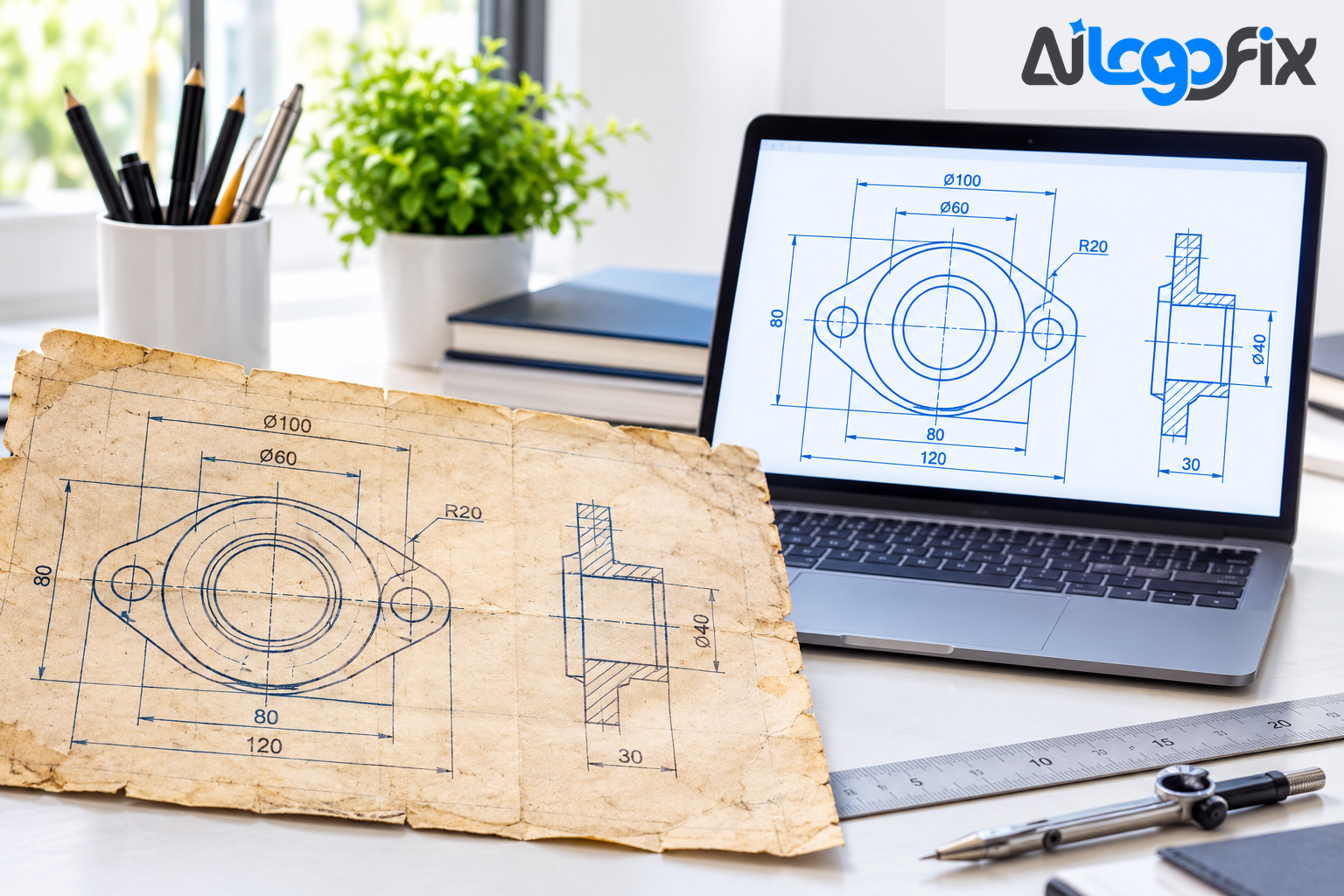
Somewhere in a drawer, a plan chest, or a box in the workshop, there is a drawing that still matters. An old blueprint of a house. A hand-drawn part diagram. A floor plan sketched decades ago. The paper is yellowing, the lines are fading, and nobody can edit it — because a scan of a drawing is just a picture of a drawing. It is not the drawing itself.
Turning that paper into clean, editable artwork means rebuilding it as vectors: lines, curves, and shapes defined by geometry instead of pixels. Once it is a vector, you can scale it, edit it, reprint it, and send it to a machine. This guide explains how that works, what to watch out for, and which result you actually need.
What "clean, editable" actually means
A scan is a grid of pixels. Zoom in and it falls apart into squares. You cannot grab one wall and move it, change one dimension, or delete a single line without touching everything around it.
A vector file is different. It stores the drawing as geometry — lines, arcs, circles, and curves with exact positions. As one CAD conversion guide puts it, vector files are resolution independent: no matter how far you zoom in, there is almost no distortion. Each element can be edited on its own without affecting the rest of the object. That is the whole point of converting an old drawing: you get the drawing back as something you can work with, not just look at.
"Clean" matters as much as "editable." A good conversion has smooth lines, closed shapes where the original had them, consistent line weights, and no speckles from the scan. A bad one carries every stain, crease, and scanner artifact into the file as extra paths — and then you spend longer cleaning the file than you would have spent redrawing it.
Start with a good scan
Every conversion is only as good as the scan it starts from. Before anything else, get the best possible image of the paper:
- Scan at 300 DPI or higher. Conversion guides consistently recommend a minimum of 300 DPI for clear, detailed results, and some tools suggest scanning faded blueprints at 300 DPI or more with even lighting. Lower resolutions lose thin lines and small text first — exactly the details you need most.
- Use TIFF for editing, JPEG or PDF for viewing. TIFF holds the most detail for the conversion step; a JPEG is fine for a quick reference copy.
- Scan in monochrome or grayscale when the drawing is line work. Colour adds nothing to a black-and-white blueprint except noise and larger files.
- Flatten the paper and light it evenly. Shadows across a fold read as lines to a converter. If the sheet is too big for a flatbed scanner, photograph it straight on, in daylight, with the paper as flat as you can get it.
If the drawing is torn, stained, or partly illegible, note that before you start. Faded or damaged originals can still be converted, but accuracy improves with clearer source material — and anything that cannot be read should be flagged, not guessed.
Vector artwork vs a CAD file — know which one you need
This is the distinction most people miss, and it decides what you should ask for.
Vector artwork (AI, EPS, SVG, PDF) is a drawing rebuilt as clean paths. It is perfect for reprinting, archiving, sharing, publishing, and sending to machines that accept SVG — many laser cutters and vinyl cutters do. It looks right and scales forever.
A CAD file (DWG or DXF) is the same idea taken further: geometry organised into layers, with dimensions, annotations, and real-world units, ready to edit in AutoCAD, Revit, or similar software. DXF is the more universal of the two — it is supported by practically any CAD platform, and data can move between programs with it. A proper CAD conversion also organises lines by discipline, with walls on one layer, dimensions on another, and annotations kept separate, so future edits touch only the part you mean to change.
So ask yourself what happens next. If the drawing will be reprinted, archived, or cut from an SVG, vector artwork is enough. If an engineer or architect must edit dimensions, move walls, or build on the drawing in CAD, you need a CAD file. And if you are not sure, say so when you order — a good provider will tell you which output fits your job instead of selling you the wrong one.
Three ways to convert an old drawing
There are three routes from paper to vector, and they suit different drawings.
1. Automatic tracing tools
Software like Scan2CAD, Raster2CAD, and vector converters can turn a scan into vectors in seconds. They work best on clean, high-contrast drawings with sharp lines. The catch is that automatic tracing copies whatever is in the scan — including stains, fold marks, and broken lines. As one scan-to-CAD provider puts it, the gap between a scanned plan and a usable file is not resolution, it is topology: conversion can give you clean paths at the right proportions, but it cannot give you the intent behind the drawing. Use auto-trace for a quick draft, or for a simple drawing in good condition. Expect to clean up after it.
2. Manual redraw
A designer rebuilds the drawing by hand, tracing the geometry with pen tools and redrawing text and symbols. It is slower, but it is the only reliable route for faded, damaged, or complex drawings — and for anything where accuracy matters. A human can tell a dimension line from a crack in the paper, straighten a wall that the scan warped, and rebuild text that is half gone. For old technical drawings, manual redraw is usually the right choice.
3. Hire a conversion service
If the drawing matters and you do not have the hours or the software to rebuild it yourself, a service does the whole job: scan assessment, redraw, cleanup, and delivery in the formats you need. The Raster to Vector service at AiLogoFix rebuilds raster artwork as clean, editable vectors by hand — never auto-traced — in AI, EPS, SVG, and PDF. For hand-drawn originals, the Sketch to Vector service turns sketches and hand drawings into professional vector files, and the Image to Outline service converts images into clean outline artwork.
What to check before you convert
A little preparation saves a round of corrections later:
- Scale and dimensions. Is there a scale bar or a known measurement on the drawing? Dimensions should be verified against scale references before the file is finalised. If a measurement is unreadable, flag it — a responsible converter will ask you rather than guess a critical dimension.
- Text and labels. Room names, part numbers, and notes often matter more than the lines. Check they are legible in the scan; if they are not, write out what they should say.
- What can be dropped. Old drawings carry revision notes, stamps, and coffee rings. Decide what belongs in the clean version and what does not.
- The output format. Tell the provider what software will open the file. SVG for a laser cutter, PDF for print, AI for further design work — the right format depends on the next step.
What a good conversion gives you back
When the job is done well, you receive a file that behaves like the drawing was made yesterday: lines you can select and move, text you can edit, shapes that scale from a thumbnail to a wall without going soft. You can print it, share it, archive it, and build on it. The paper original stays safe in its drawer, and the drawing itself finally gets to work again.
FAQ
Can a faded or damaged blueprint be converted?
Yes, in most cases. Faded ink, stains, and creases can be worked around, and manual redraw handles poor originals far better than automatic tracing. The clearer the scan, the more accurate the result — scan at 300 DPI or higher with even lighting for the best outcome.
Will I get a DWG or DXF CAD file?
That depends on what you ask for. Vector artwork (AI, EPS, SVG, PDF) covers reprinting, archiving, and SVG-based cutting. A full CAD file with layers and dimensions is a separate deliverable — tell your provider upfront if you need DWG or DXF, and confirm the units.
How long does converting an old drawing take?
It depends on the drawing's size, condition, and detail. A single clean sheet is quick; a large, faded, or heavily annotated plan takes longer because every line and label must be checked. Ask for a time estimate with your file.
What scan quality do I need to send?
A flat scan at 300 DPI or higher, in TIFF or high-quality JPEG, is the standard starting point. If you can only photograph the drawing, shoot it straight on in even daylight and keep the paper as flat as possible.
Conclusion
Old technical drawings do not have to stay trapped on paper. With a good scan and the right conversion — automatic for clean originals, manual redraw for the faded and complex ones — they become editable artwork you can print, share, and build on for years. The key is knowing which output you need: vector artwork for reproduction and cutting, a CAD file for engineering work. Get that decision right, and a drawing from decades ago works as hard as one made today.
Need your drawing rebuilt as clean vector artwork?
Our specialist team at AiLogoFix manually redraws old drawings, blueprints, and sketches into clean, editable vector files — AI, EPS, SVG, and PDF — with full commercial rights and refinements within your selected package and agreed brief. Send us a scan of your drawing and we will tell you exactly what we can do with it.
Convert your drawing to vector →
Questions first? Message the team — we reply fast.