
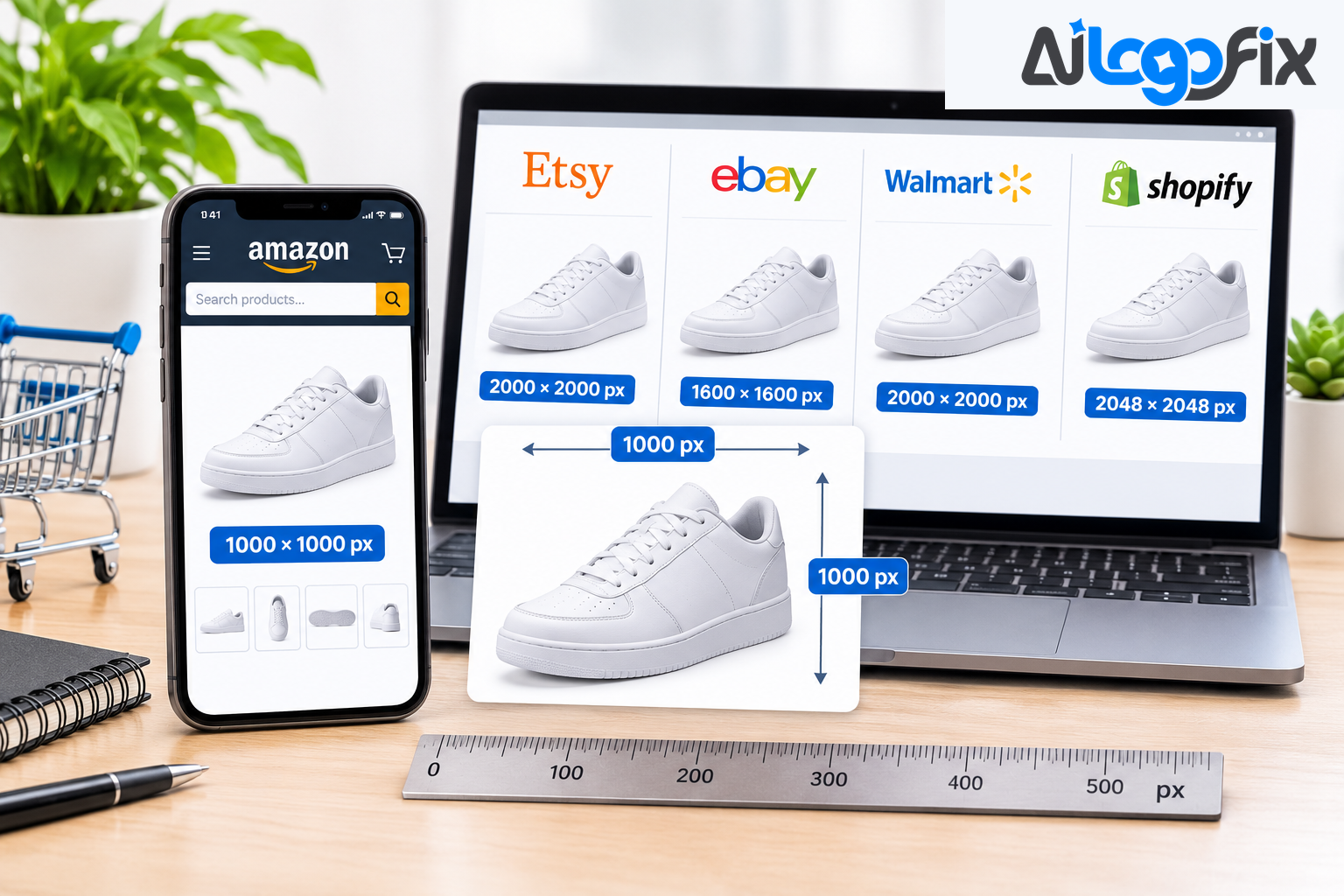
Every marketplace publishes its own photo rules, and no two agree. One wants a 1:1 square, the next wants a 3:4 portrait, and a third caps files at 2 MB while its neighbour allows 10 MB. If you sell on more than one platform, you end up opening a dozen help pages just to resize one product shot.
This cheat sheet puts the headline numbers for 35+ platforms in one place: pixel minimums, ratios, file caps, and photo counts. Use it as a fast first check, then confirm the numbers in your own seller account before a large upload — specs change, and many seller portals sit behind a login.
How to read this cheat sheet
- Minimum is the floor a platform states. Recommended is the size it suggests for zoom or quality. Aim for the recommendation, not the floor — the floor gets your listing live, the recommendation gets it sold.
- (Sources disagree) means two pages from the platform, or its official page and a partner guide, give different numbers. Check your own upload screen before a large batch.
- Not stated means the platform's public pages give no figure. We do not fill the gap with a guess.
- Zoom thresholds matter more than minimums. Amazon and Walmart switch on zoom only above a size — 1,000 and 1,500 pixels. Below it, shoppers cannot look closer, and a shopper who cannot inspect may not buy.
The cheat sheet
Global marketplaces and shop platforms
- Amazon: Size and ratio: 1,000 px longest side minimum, 2,000 px+ recommended; File and photo rules: JPEG preferred, about 10 MB, pure white RGB 255, 255, 255, product fills 85%+; Watch out for: A+ Content modules have their own sizes
- eBay: Size and ratio: 500 x 500 px minimum, about 1,600 px recommended, 1:1 or 16:9; File and photo rules: Up to 24 photos, 12 MB per photo; Watch out for: White background recommended, not enforced
- Walmart: Size and ratio: 1,500 x 1,500 px for zoom, 2,200 x 2,200 px recommended, 1:1 required; File and photo rules: JPEG, PNG or BMP, 5 MB, seamless white; Watch out for: Will not pad a near-square image for you
- Etsy: Size and ratio: 2,000 px shortest side recommended, square, 4:3 or 4:5; File and photo rules: JPG, PNG or GIF, about 10 MB, files under 1 MB upload most reliably; Watch out for: No white background rule; first photo min 635 px or lower search visibility
- Shopify: Size and ratio: Up to 5,000 x 5,000 px, under 20 MB; a 2,048 px square usually displays best; File and photo rules: PNG, JPEG, WebP and others; Watch out for: Your theme decides the crop — pick one shape and use it everywhere
- Google Shopping: Size and ratio: 500 x 500 px minimum; File and photo rules: No promotional overlays or text covering the product on the main image; Watch out for: The size floor is being enforced in phases
- Facebook Shops and Instagram Shops: Size and ratio: 500 x 500 px minimum, 1,200 x 1,200 px square is a safe master; File and photo rules: JPEG or PNG, 8 MB; Watch out for: Extra image counts differ between Meta docs and guides (sources disagree)
- Facebook Marketplace: Size and ratio: 1,200 x 1,200 px recommended, 500 px minimum; File and photo rules: JPEG or PNG, square tiles in the browse grid; Watch out for: Square uploads keep the whole item visible
- Instagram Shop: Size and ratio: 1,080 x 1,080 px square or 1,080 x 1,350 px (4:5 portrait); File and photo rules: JPEG or PNG; Watch out for: Portrait takes more feed space
- Pinterest product pins: Size and ratio: 1,000 x 1,500 px main image (2:3); File and photo rules: Up to 10 additional images, each at least 75 x 75 px; Watch out for: File size and format not stated on the catalog help page
- BigCommerce: Size and ratio: 1,280 x 1,280 px recommended; File and photo rules: 8 MB per image; Watch out for: 500 KB is a page-speed target, not a limit
Regional and cross-border marketplaces
- Lazada: Size and ratio: 1:1, up to 2,000 x 2,000 px, minimum 330–500 px (sources disagree); File and photo rules: JPEG, 3–8 images, 3 MB cap in one guide only; Watch out for: No Lazada-hosted spec found; verify in your seller account
- Shopee: Size and ratio: 500 x 500 px minimum, 2 MB; File and photo rules: JPEG, GIF, PNG; Watch out for: Pixel minimum unconfirmed in some guides — check your upload screen
- Mercado Libre: Size and ratio: 1,200 px; File and photo rules: Product fills about 95% of the frame; Watch out for: Seller help and developer docs differ on minimum size, file cap and fill
- Zalando: Size and ratio: 1:1.44 portrait, 1,801 x 2,600 px; File and photo rules: Packshot or model view, no visible mannequin; Watch out for: A portrait ratio — a square master cannot become this without re-framing
- Temu: Size and ratio: 1:1 at 800 x 800 px minimum (1,600 px recommended), apparel 3:4 at 1,340 x 1,785 px; File and photo rules: JPEG or PNG, 3 MB, at least 3 images; Watch out for: Seller Center is login-gated, so numbers come from integration guides
- Shein: Size and ratio: 4 ratios, 900–2,200 px; main 1,340 x 1,785 px; File and photo rules: 3 MB cap; Watch out for: Login-gated, figures come from partner guides (sources disagree)
- AliExpress: Size and ratio: 800 x 800 px minimum, 1,000 px+ preferred; File and photo rules: 5 MB (10 MB on one AliExpress page), up to 6 gallery images; Watch out for: Strict pure-white background, auto-flagged within minutes
- Flipkart: Size and ratio: 1,000 x 1,000 px minimum; File and photo rules: JPEG only, 2 images minimum, 3 preferred; Watch out for: Apparel goes on light grey, not white
- Meesho: Size and ratio: 1:1 or 3:4, 500 px or 1,000 px minimum (sources disagree); File and photo rules: About 2 MB or 5 MB (sources disagree); Watch out for: Supplier panel is login-gated
- Jumia: Size and ratio: 500 x 500 to 2,000 x 2,000 px; File and photo rules: JPEG, TIFF or PNG, 2 MB, up to 8 images, 80% fill; Watch out for: 2,000 px is a ceiling — a 4,000 px original is too large
- Takealot: Size and ratio: 600–5,000 px; File and photo rules: 10 MB, 85–95% fill; Watch out for: One third-party guide says 2 MB instead of 10 MB
- Noon: Size and ratio: 660 px minimum width, ratio 0.5 or 0.73 (two Noon pages differ); File and photo rules: JPEG only, 10 MB; Watch out for: Fashion main images use light grey
- Kaufland: Size and ratio: 1,024 px recommended minimum, 2,048 px for zoom; File and photo rules: 10 MB, 5–10 images, PNG, JPG, WEBP, TIFF or GIF; Watch out for: No aspect ratio rule
- Allegro: Size and ratio: Up to 2,560 x 2,560 px and 26 Mpx, minimum 400 or 500 px (sources disagree); File and photo rules: JPG or PNG, sRGB; Watch out for: The first image (thumbnail) is strict, the rest of the gallery is looser
- bol.com: Size and ratio: 500 x 500 px minimum, 6,000 x 6,000 px maximum, 1,200 x 1,200 px for zoom; File and photo rules: 30 KB to 10 MB; Watch out for: White neutral background, front view, no model or text on the main image
- TikTok Shop: Size and ratio: 800 x 800 px minimum, white background for the main image; File and photo rules: JPEG or PNG; Watch out for: Listing quality tiers and AI-content disclosure apply
- Wayfair: Size and ratio: 1,000 px a side to be featured; 2,000 to show detail; File and photo rules: Not stated; Watch out for: Silhouette and room shots both recommended
- Kohl's: Size and ratio: Square, at least 2,000 px a side; File and photo rules: JPEG or TIFF; Watch out for: White main image, no added graphics
- Target Plus: Size and ratio: 1:1, 1,000 or 1,200 px minimum (sources disagree), 2,400 px preferred; File and photo rules: JPG, PNG or TIF; Watch out for: Partner portal is login-gated
Electronics, big-box and wholesale
- Newegg: Size and ratio: 640 px wide x 480 px high; File and photo rules: 5 MB (10 MB in secondary guides); Watch out for: No collage, person or model on the primary image
- Best Buy: Size and ratio: Vendor guide: 1,500 x 1,500 px minimum, 300 DPI. Canada feed: 500 x 500 px minimum; File and photo rules: Canada feed 10 MB, 45-degree main shot; Watch out for: The US marketplace guideline is login-gated
- Faire (products): Size and ratio: 1,050 x 1,050 px ideal, 600 x 600 px minimum; File and photo rules: JPG or PNG, no file cap stated; Watch out for: Hero image on a white or light background
Resale and fashion marketplaces
- Poshmark: Size and ratio: Cover photo 3:4 portrait; an older guide still says square; File and photo rules: Up to 16 photos; Watch out for: Poshmark's own pages disagree on the ratio
- Depop: Size and ratio: Square or 4:5 (third-party sizes only, about 1,080 px); File and photo rules: 4 photos in the app, 8 on the web; Watch out for: Depop's help page gives no pixel size
- Vinted: Size and ratio: Not stated; File and photo rules: Up to 20 photos, no collages; Watch out for: Photo 1 must show the whole item
- Mercari: Size and ratio: About 1,080 x 1,080 px square (working target); File and photo rules: Up to 12 photos, plain background; Watch out for: Mercari publishes no explicit pixel spec
Property and travel platforms
- Airbnb: Size and ratio: 1,024 x 683 px (Help Center) or 1,200 x 800 px (Resource Center); File and photo rules: Up to about 10 MB, horizontal photos; Watch out for: Airbnb's own two pages give two minimums
- Vrbo: Size and ratio: 1,024 x 683 px minimum, 3,840 x 2,160 px ideal; File and photo rules: At least 6 photos, JPEG, PNG, WebP or AVIF; Watch out for: No file cap on the Vrbo page itself
- Booking.com: Size and ratio: 2,048 x 1,080 px minimum, 4,000 x 3,000 px preferred, landscape only; File and photo rules: At least 10 photos; Watch out for: No file cap in the host article
- Agoda: Size and ratio: 800 x 600 px; File and photo rules: 4 MB or 10 MB, JPG only or JPG and PNG (sources disagree); Watch out for: Check the cap in your Partner Hub
- Rightmove and Zoopla: Size and ratio: Rightmove 1,024 x 683 px, Zoopla 1,024 x 768 px; File and photo rules: See the guide for file rules; Watch out for: The two portals use different ratios
- Zillow: Size and ratio: 330 x 220 px feed minimum or 1,536 x 1,152 px suggested (sources disagree); File and photo rules: 5 MB on the feed; Watch out for: Three upload routes with different rules
- eBay Motors: Size and ratio: General eBay rules: 500 x 500 px minimum; File and photo rules: 20, 30 or 40 photos depending on the package; Watch out for: eBay publishes no vehicle-specific pixel spec
The tightest limits to design around
Four patterns cause most rejected uploads, and they are worth designing around before you shoot anything.
Two pages from the same platform disagree. Airbnb gives 1,024 x 683 px on one page and 1,200 x 800 px on another. Poshmark gives a 3:4 cover on one page and square on another. Noon's two pages differ on ratio. When a platform contradicts itself, upload the larger size and check your own listing page.
Official page versus partner guide. Agoda's 4 MB and 10 MB, Takealot's 10 MB and 2 MB, and Target Plus's 1,000 and 1,200 px all trace back to this gap. Trust the platform's own page first, and test one listing before a full catalogue upload.
Square versus portrait. Walmart, Lazada, and the Meta catalog want 1:1. Zalando wants 1:1.44. Poshmark wants 3:4, and Depop and Vinted guides lean toward 4:5. A square cannot become a portrait without adding empty canvas, so portrait platforms need their own export.
Ceilings, not just floors. Jumia stops at 2,000 px and Lazada's guides cap at 2,000 x 2,000 px, so a 4,000 px camera original is too large and has to be scaled down. And file caps are the quietest killer: Jumia states 2 MB, Temu and Shein use 3 MB, Walmart and AliExpress use 5 MB. A photo that passes one platform's cap gets rejected by another for being several times too large — and the rejection message usually does not say which limit it hit.
A master file that clears most of the sheet
No single size fits every platform, but one master file comes close: shoot or edit one 2,000 x 2,000 px square JPEG in sRGB on pure white, compressed under 2 MB. That sits inside Jumia's 2,000 px ceiling, meets the pixel minimum on the product-photo rows in the tables above, and fits under the tightest file caps. Walmart's recommended 2,200 px and Etsy's 2,000 px shortest side are recommendations, not hard floors, so a 2,000 px master still passes their minimums. If a platform lists a recommended size above your master, upload the larger original there instead of upscaling.
Two groups need their own export. Portrait platforms need a 3:4 version — for example 1,500 x 2,000 px — for Poshmark, Meesho's portrait option, and apparel on Temu and Shein, plus a 1:1.44 version for Zalando. Re-frame these in portrait, because a square cannot become a portrait without adding empty canvas. Property and travel platforms need a landscape export at 2,048 x 1,080 px or larger for Booking.com, and 1,200 x 800 px or larger for Airbnb and Vrbo.
How to work with one set of images
Once the master is locked, the work is exports, not retouching. Shoot and make every image at 2,000 to 2,500 pixels square. Keep a word-free version of every image that carries words, for eBay, Target Plus, and Google. Export a copy per marketplace: smaller files for Etsy, Shein's sizes for Shein, portrait for Poshmark and Zalando. Name files by product, image, and marketplace, so the right set goes to the right place. And check the marketplace's upload screen when you start on a new one, and once a year after that — marketplaces revise their image specs, and this table is dated October 2026.
The part sellers underestimate is the background. Sixteen of the platforms in the wider data require white, and the strictest — Amazon and Walmart — want pure white at exactly RGB 255, 255, 255. A product photographed on a light-grey sweep lands around 246–252 and fails review with no explanation. That is why the master file above is on pure white, and why the cutout behind it has to be genuinely clean, not approximately white. AiLogoFix's background removal service puts product photos on a true pure-white background by hand, so the same master file passes Amazon, Walmart, and every other white-background platform. If the listing also needs a clean logo for packaging or inserts, the raster to vector service turns it into a scalable vector. For the details, see Background Removal for Amazon Product Images, Etsy Product Photos: Background Removal That Sells, and What Is a Print-Ready Logo?
Pre-upload checklist
- Open the platform's row above before you export.
- Check both sides of the size range — some platforms have a ceiling as well as a minimum.
- Check the file weight, not only the pixels. A file can pass the size test and still be over the cap.
- Confirm the ratio: square, portrait, or landscape.
- Put the main image on pure white unless the platform asks for light grey, as Flipkart and Noon do for apparel and fashion.
- Keep text, logos, watermarks, and badges off main images.
- Test one listing before a full catalogue upload when a row says "sources disagree".
FAQ
What is the best all-purpose marketplace image size?
No single size fits every platform, but a 2,000 x 2,000 px square JPEG in sRGB, under 2 MB and on pure white, clears most of the general marketplaces in this sheet. Fashion and resale platforms with portrait ratios, and property platforms that want landscape, need their own exports.
Which marketplaces want portrait images instead of square?
Zalando asks for 1:1.44 portrait. Poshmark moved its cover photo to 3:4. Temu and Shein list 3:4 for apparel, Meesho allows 3:4, and Depop and Vinted guides lean toward 4:5. Walmart, Lazada, the Meta catalog, and Target Plus stay at 1:1.
Which marketplace has the smallest file size cap?
Jumia states 2 MB across its image pages. Amazon's seller blog also gives 2 MB for A+ Content images, and some Meesho guides quote about 2 MB. Temu, Shein, and one Lazada guide use 3 MB. Because the caps differ so much, export to the smallest file weight first.
Do I need a separate set of photos for each marketplace?
Almost, but not quite. One master file at 2,000 x 2,000 px on pure white, plus a portrait export and a landscape export, covers the overwhelming majority of platforms. The per-marketplace work is resizing, cropping, and compressing — not re-shooting.
Why was my image rejected when it looked fine to me?
The most common silent reasons are a background that is not exactly RGB 255, 255, 255, a file over the platform's cap, text or a watermark on a main image, or a size below the zoom threshold. Check the row for your platform above, and check the file's actual properties — not how it looks on your screen.
Conclusion
Marketplace image rules disagree on almost everything: the size, the shape, the background, how many photos a listing can have. The way through is not to memorise forty sets of numbers, but to build one master file — 2,000 x 2,000 px, square, pure white, under 2 MB — and export from it, with a portrait version for fashion platforms and a landscape version for property platforms. Keep the background truly white, keep text off the main image, and test one listing before you upload a catalogue.
Selling on several marketplaces?
AiLogoFix's specialist team puts your product photos on a true pure-white background by hand, checks every edge, and delivers listing-ready images sized for Amazon, Etsy, eBay, Walmart, and Shopify — so one set of photos passes everywhere, first time.
Get Your Product Photos Marketplace-Ready · Message the team