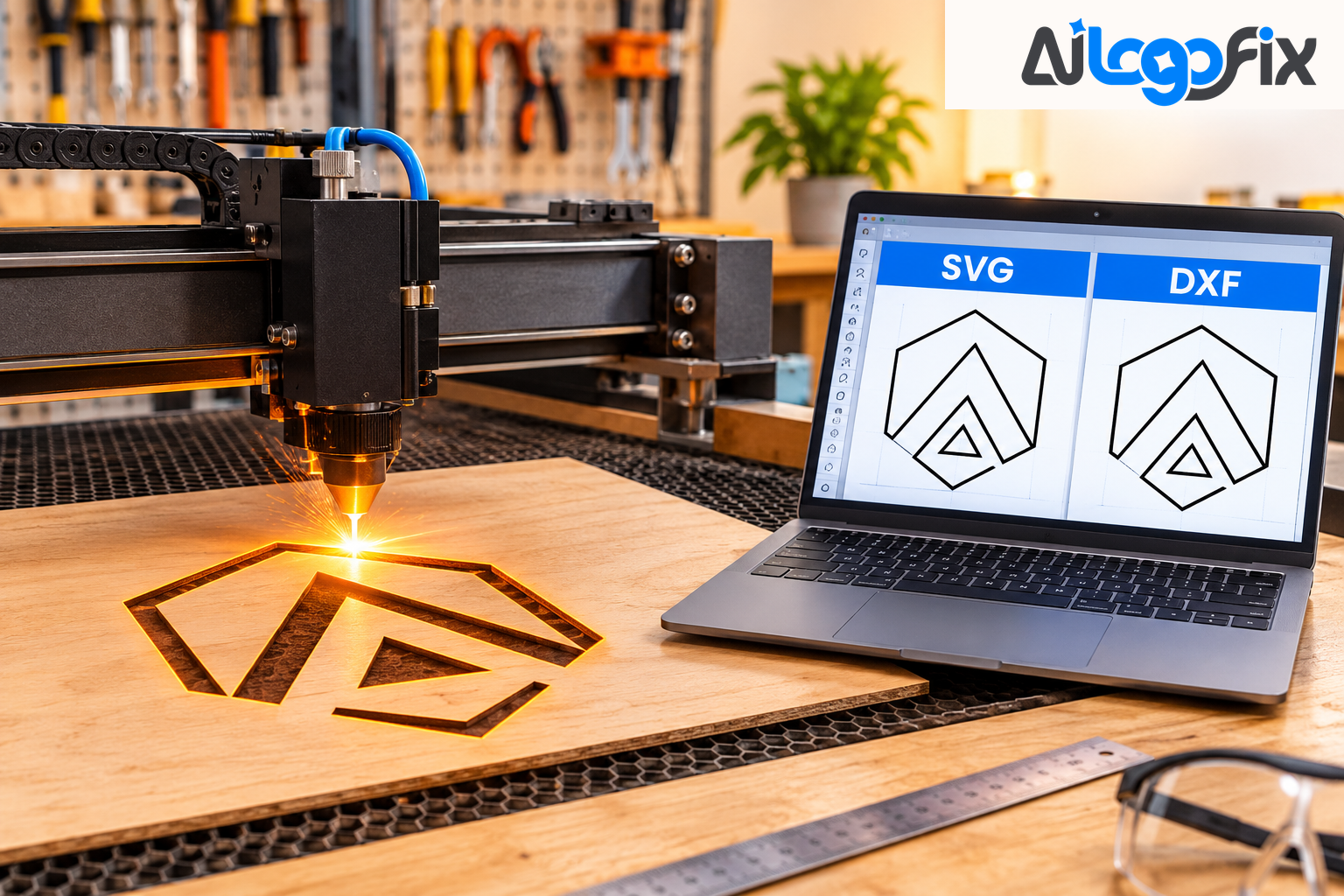
You have artwork ready for the laser. The machine asks for a file — and now you have to choose: SVG or DXF? Both are vector formats. Both will cut. But they were built for different jobs, and picking the wrong one can mean wrong sizes, rejected files, or wasted material.
The short answer: SVG describes artwork, DXF describes outlines at a real size. Which one you need depends on your machine, your software, and whether exact dimensions matter. Here is how to decide.
What each format actually holds
SVG (Scalable Vector Graphics) describes how a picture looks. It stores shapes along with fill colours, stroke widths, and other styling, and a browser or design program draws it. Size is often loose in an SVG, because an SVG is meant to scale. It is the default for making things — everything opens it, it carries colour and fills, and cutting software imports it cleanly.
DXF (Drawing Exchange Format) comes from CAD. It stores geometry: lines, polylines, and outlines at a real size. There is no fill or colour story — just the outlines a machine needs to follow. DXF is the industry standard for CNC and laser cutting, built to hold lines, arcs, circles, splines, and polylines with precision.
So the difference is not quality. It is purpose: SVG is a picture with instructions for how it looks; DXF is a set of outlines with instructions for where to cut.
SVG vs DXF at a glance
- Main job: SVG: Artwork and design; DXF: Outlines for CAD and cutting
- Real-world size: SVG: Depends on the file; DXF: Set in the file, usually in mm
- Colour and fills: SVG: Yes — full styling; DXF: No — outlines only
- Text: SVG: Full text support; DXF: Limited — convert text to outlines first
- Layers: SVG: By colour and group; DXF: By named layer
- Opens in: SVG: Browsers, design tools, many laser programs; DXF: CAD, CAM, laser and CNC software
- Best for: SVG: Creative designs, logos, hobby projects; DXF: Engineering, CNC, industrial laser cutting
Choose SVG if you…
- Use a Glowforge, xTool, Cricut, or Silhouette. These machines and their software take SVG as their primary input. Glowforge, xTool Creative Space, Cricut Design Space, and Silhouette Studio all read SVG directly.
- Make decorative signs, crafts, or personalised gifts. SVG keeps your colours, fills, and editable shapes, which is what creative work needs.
- Sell digital cut files. SVG is the format buyers expect for craft and design files.
- Want easy editing. SVG opens in design tools and browsers, so you can tweak the artwork without CAD software.
- Are engraving rather than cutting. Engraving fills areas, so an SVG with solid shapes often works exactly as it is.
For creative projects and digital designs, SVG is often the easiest format to work with — and most laser software, LightBurn included, reads both formats, so SVG is a safe default for hobby and desktop machines.
Choose DXF if you…
- Use industrial laser equipment, a CNC router, a plasma cutter, or a waterjet. For industrial equipment — fibre lasers, CO2 industrial systems, plasma cutters, CNC routers, and machines controlled by LightBurn, EZCAD, RDWorks, Fusion 360, Mach3, or SheetCam — DXF is the expected format.
- Work in AutoCAD or other CAD software. DXF is the native exchange format for CAD, with excellent compatibility and named layers that tell a machine which lines to cut and which to engrave.
- Need exact measurements. A part that must be exactly 100 mm wide needs a format that carries real units. DXF stores geometry at a real size; SVG size depends on how the file was written.
- Manufacture metal or acrylic components. Precision parts, enclosures with tight tolerances, and anything dimensional belongs in DXF.
- Send files to a cutting service. If the service asked for DXF, send DXF — their workflow is built around it.
The practical rule: use DXF when your CAD or CAM software expects CAD geometry, your workflow uses millimetres or inches explicitly, or your CNC plasma or router software handles DXF cleanly. DXF wins for machine control and cross-software compatibility.
The traps that catch people out
Whichever format you choose, these are the mistakes that ruin cuts:
- Open paths. Cutting follows outlines, so closed paths matter more than anything. A shape with a gap will not cut as a shape. Check every path is closed before you send the file.
- Text left as text. Text is not converted in a DXF, so turn text into outlines in your design software first, then export. The same applies to SVG for cutting — convert type to outlines so the machine does not swap in a different font.
- Fills, gradients, and effects. Laser cutting and CNC machines require vector files with all paths closed, no overlapping shapes, correct units, and no fills, gradients, or effects. Strip them before export.
- Wrong scale on SVG import. An SVG can import at the wrong size. If yours does, a plain DXF outline at a known size is the fix.
- Missing units in DXF. The DXF header field that declares whether 100 means millimetres or inches is optional, and often absent — so importing software guesses. Confirm the units in writing with whoever receives the file.
- Raster images hiding inside an SVG. Files sometimes embed rasterised images within a vector container. Always verify that your cut paths are actual vector paths, not images placed inside an SVG wrapper. A PNG or JPG has no path data — a cutting machine cannot follow pixels.
What if all you have is a PNG or JPG?
A pixel image cannot go to a laser cutter at all. The solution is professional manual vectorization: a skilled vector artist takes the PNG or JPG as reference and manually redraws every element as clean, closed paths with no pixel approximation. That is exactly what AiLogoFix's Raster to Vector service does — your artwork rebuilt by hand as AI, EPS, SVG, and PDF files with clean, closed paths a machine can follow. If your logo also needs fixing first — wrong colours, broken shapes, garbled details — the Logo Modify service corrects it before conversion, and hand-drawn artwork can be rebuilt through the Sketch to Vector service.
One honest note: AiLogoFix delivers AI, EPS, SVG, and PDF files. If your laser or CNC workflow needs DXF specifically, mention it in your brief when you order — tell the team the machine and the format up front, and they will tell you exactly what they can supply.
When in doubt, send both
The most practical advice in the whole comparison: when in doubt, provide both formats. Most services can work with either, and having both eliminates compatibility questions. An SVG for the design side, a DXF for the machine side — and a quick test cut before the full run.
FAQ
Is DXF better than SVG for laser cutting?
Only when dimensions matter. DXF carries precise geometry and named layers, which suits engineering parts. SVG carries colour and fills and is easier to work with for decorative designs. Most laser software imports both.
My laser software accepts both — which should I pick?
If it is a desktop or hobby machine (Glowforge, xTool, K40), SVG is usually the smoother choice. If the job is dimensional or goes through CAD/CAM software, pick DXF.
Why did my SVG import at the wrong size?
SVG files do not always carry a fixed real-world size, so importing software has to guess. Export again with the document size set explicitly, or send a DXF, which stores the size in the file.
Can I convert an SVG to DXF myself?
Yes — most design and converter tools export SVG to DXF, and you can keep the file's own size or scale it to a width in millimetres. Just remember to convert text to outlines first, and check the result imports at the right scale.
Do I need to remove fills before cutting?
Yes. Cutting follows outlines, not fills. Remove fills, gradients, and effects, close all paths, and check the file before you send it to the machine.
Conclusion
SVG and DXF are both vector formats, but they answer different questions. SVG answers "what does it look like?" — colour, fills, editable artwork for creative machines. DXF answers "where exactly do I cut?" — precise geometry in real units for CAD, CNC, and industrial lasers. Start with what your machine accepts, choose DXF when dimensions matter, choose SVG when the design matters, and send both when you are unsure. Get the file right and the laser does the rest.
Have artwork that needs to be cut-ready?
Our specialist team at AiLogoFix manually rebuilds logos and artwork as clean, closed-path vector files — AI, EPS, SVG, and PDF — ready for laser, vinyl, and CNC work, with full commercial rights and refinements within your selected package and agreed brief. Send your JPG or PNG and tell us the machine it is for.
Get your artwork made cut-ready →
Questions first? Message the team — we reply fast.