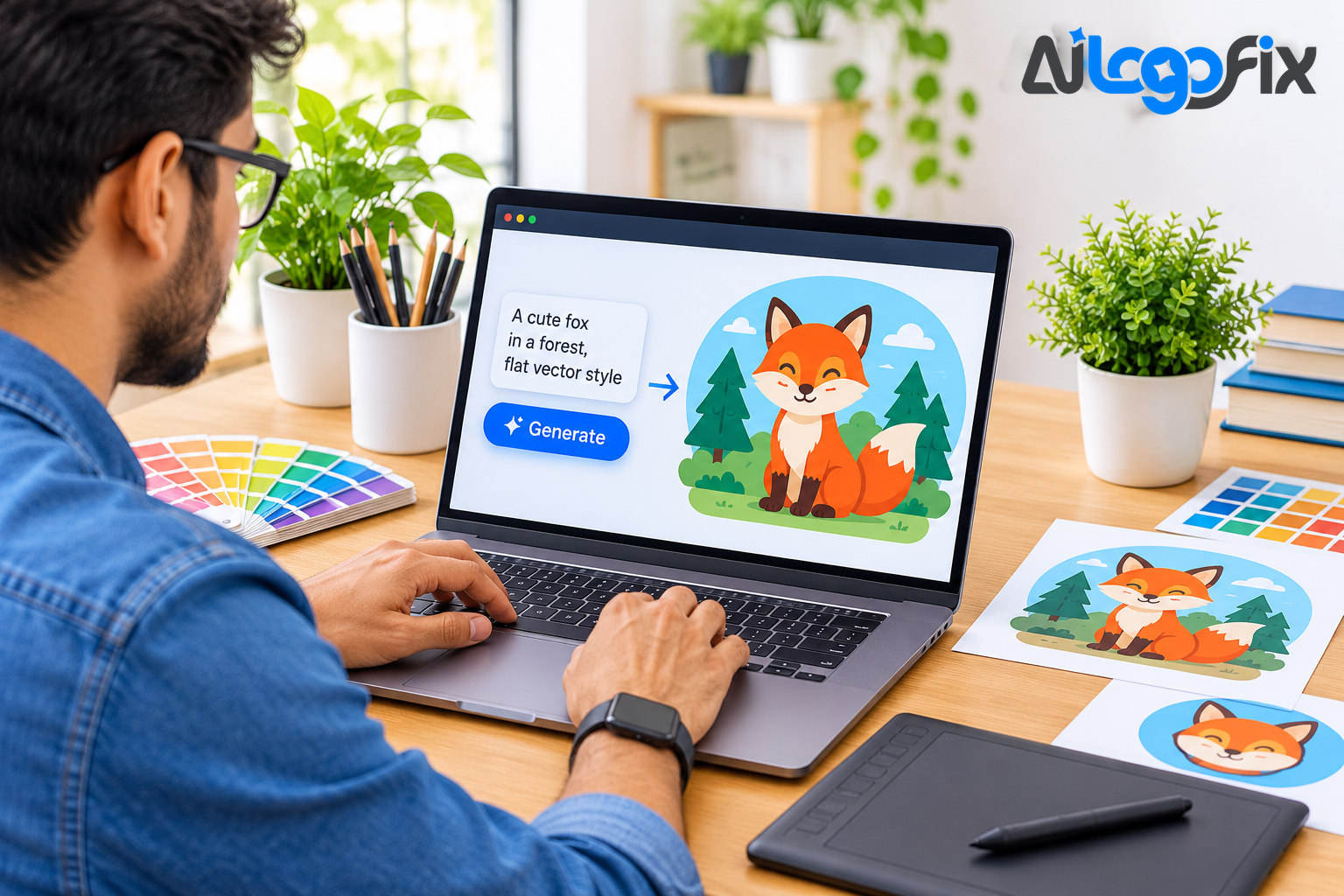
Type a sentence, get a vector. That is the promise of text-to-vector AI: describe the logo, icon, or illustration you want, and the model hands back an editable SVG — real paths, real colours, ready to use. In 2026 the promise is finally partly true. A small number of tools now generate genuine vector paths from a prompt, and the workflow around them — generate, edit, recolor, deliver — has become a real production pipeline for logos, icons, and merch art.
But most tools that claim to do this do not. They generate a raster image and trace it afterwards, which is a different thing with different quality. This guide separates the tools that write real vectors from the ones that fake it, compares the leading options, and walks through the full workflow: prompting, editing, recoloring, and delivering a file a printer can actually use.
Native vector vs traced vector: the test that matters
Every text-to-vector tool falls into one of two groups, and the difference decides the quality of everything downstream.
Native vector tools have a model that writes vector paths directly — shapes, curves, and colour regions produced as geometry, not pixels. The output opens in Illustrator or Figma as editable artwork: you can select a shape, move it, recolour it, and delete it. Tested against the same prompts in 2026, only three tools generated genuinely native vector paths at the model level: SVGMaker, Recraft V4.1, and Adobe Firefly's Text to Vector.
Traced vector tools generate a raster image first, then run a tracing algorithm over it to produce paths. The result looks like a vector and scales like one, but the paths follow pixel edges: thousands of unnecessary anchor points, wobbly curves, muddy colour regions, and shapes a cutter or printer cannot follow cleanly. Tracing has its place — it is how most raster art becomes vector — but a traced file is a conversion, not a native vector, and it needs cleanup before it is production-ready.
The quick test: open the SVG and count the anchor points on a simple curve. A handful means native. Hundreds means traced. And if the whole design selects as one flat picture, it was never a vector at all.
The tools, compared
Recraft V4.1 — best overall
Recraft is the best text-to-vector tool for most people. Its V4 models, launched in February 2026, generate SVG natively from a text prompt, and the current V4.1 Vector models produce editable SVG with discrete colour regions, so the shapes come out clean and separable — exactly what you need for recoloring. It is the only tool in most roundups that combines true native vector output with a design platform around it: brand styles, mockups, and one-click upscaling.
Paid plans start at $10 a month billed annually, with full commercial rights. The free plan exists with usage limits — and the same warning applies as everywhere else: on the free tier, ownership is limited, so do not build a commercial brand on free output. Recraft's one weakness for production work is editing: its app does not yet support prompt-based editing or style creation on V4, so finishing work happens in Illustrator or Figma.
Adobe Firefly Text to Vector — best for Illustrator workflows
Adobe's Firefly Vector Model, announced at Adobe MAX in October 2023, was the first generative AI model built specifically for vector graphics. Its Text to Vector Graphic feature, inside Illustrator, generates editable vector scenes, subjects, icons, and patterns — grouped, with working gradients rather than flattened shapes. Generative Shape Fill fills a shape with vector detail, and Concept to Vector, new in 2026, turns sketches and raster images into vector art.
Firefly is the pick if you will edit the result by hand. The output lands directly in Illustrator, where the full editing toolkit is waiting. It is also the commercially safest option: Firefly is trained exclusively on licensed content, and paid plans carry IP indemnification. Firefly plans start at $9.99 a month, and Illustrator's single-app plan costs $22.99 a month on an annual plan.
Kittl — best for merch and print designs
Kittl is a browser-based design app built for merch, logos, and print, with an AI vector generator built in. Its vector generator creates editable vector paths you can download as SVG, and templates, fonts, and mockups for T-shirts, stickers, and posters sit alongside it. A separate vectorizer converts existing raster images into paths.
Kittl's strength is the end-to-end merch workflow rather than raw vector quality: generation, layout, mockups, and print-ready export in one place. Pro costs $14 a month billed annually for 2,000 tokens, and the Pro and Expert plans include a commercial licence for up to 500,000 copies. The free plan grants personal use only, so it cannot be used for products you sell.
SVGMaker — best for production-ready web assets
SVGMaker is a newer, focused tool: a text-to-SVG generator with a built-in editor for code and colours, aimed at production-ready web and app assets end to end. In head-to-head testing it was one of the three tools producing genuinely native vector paths, and its editor lets you adjust the result without leaving the tool. For icons, illustrations, and interface assets that need to ship as clean SVG, it is the most direct route from prompt to production file.
QuiverAI Arrow 2 — the newest native model
QuiverAI's Arrow is a family of models built specifically for SVG, and Arrow 2, released in September 2026, brings cleaner geometry and micro-animations, from $8 a month. It is the newest native-vector model on the market and the cheapest entry point — worth watching if you generate vectors often, though its ecosystem of editing and brand tools is thinner than Recraft's or Adobe's.
The agent workflow: generate, edit, recolor, deliver
The tools above are only half the story. The other half is the workflow — and the reason these tools are increasingly called agents rather than generators is that the work now runs as a loop: prompt, review, adjust, and deliver, with the model handling the repetitive steps.
Generate: write a prompt that describes the subject, the style, and the constraints — flat vector, limited colours, no text, transparent background. Generate the symbol and any lettering separately: image models still garble letterforms, so a wordmark should be set in a real font, not generated inside the illustration.
Edit: open the SVG in a vector editor and do what the model cannot — fix symmetry, simplify shapes, remove stray points, and close every path. This is the step that separates a usable file from a demo. A native vector needs light editing; a traced one needs heavy cleanup.
Recolor: this is where native vectors earn their keep. Because Recraft's V4.1 output uses discrete colour regions, each colour is its own shape — select it and change it. In Illustrator, recolor artwork tools can remap a whole palette at once: one click turns a full-colour logo into a one-colour version for embroidery, a dark-background version for a website header, or a brand-colour variant for a client. Traced files fight this step, because their colours are split into dozens of near-identical shades.
Deliver: export the finished file as SVG for the web, AI and EPS for print, PDF for sharing, and high-resolution PNG and JPG for everyday use. Check the file before delivery: zoom to 800 percent and confirm the edges are clean, count the anchor points on a simple curve, and confirm each colour is a flat, named value.
The traps: licences, text, and the finishing gap
Three traps catch almost everyone using text-to-vector tools for the first time.
The licence trap. On every major tool, the free tier grants personal use only, or public ownership, or both — no free plan lets you sell what it makes. Read the licence before a design goes on a product: Recraft's free output is public, Kittl's free plan has no commercial licence, and similar limits apply across the category. Paid plans are where commercial rights begin.
The text trap. AI models still struggle with lettering inside illustrations. A logo prompt that asks for a mascot holding a sign with the company name will usually return garbled text. Generate the art and the type separately, every time.
The finishing gap. No current model reliably produces a production-ready logo file on its own. The output is a strong draft: good shapes, promising direction, real editable paths — but a designer still needs to finish it. The gap is smallest with native-vector tools and largest with traced output. If your file is going to print, be cut, or carry a brand for years, budget for the finishing step — or hand it to someone who does it daily.
That finishing step is exactly what AiLogoFix's raster to vector service provides: AI output, hand-redrawn and cleaned into a production-ready vector in AI, EPS, SVG, and PDF, from $10. If the AI result came back with garbled text, warped shapes, or broken symmetry, the AI-generated logo fix service rebuilds it properly by hand from $20. And if you would rather start from a human brief than a prompt, the logo design service creates original logos from $30, plus custom offers.
FAQ
Which text-to-vector AI actually generates real SVG?
Three tools generate genuinely native vector paths: SVGMaker, Recraft V4.1, and Adobe Firefly's Text to Vector. Most other tools generate a raster image and trace it afterwards — usable, but with the anchor-point bloat and wobbly edges that tracing brings.
Can I sell designs made with a free text-to-vector tool?
Usually not. Free tiers across the category grant personal use only, or make the output public. Commercial rights begin on paid plans. Always read the licence on the tool you used before a design goes on a product.
Why does my AI-generated SVG have thousands of anchor points?
Because it was traced, not natively generated. Tracing follows pixel edges and produces hundreds of unnecessary points per curve. Native-vector tools produce far fewer, cleaner points. If your file is bloated, simplify the paths in a vector editor — or have the artwork redrawn by hand.
How do I recolor an AI-generated SVG?
If the SVG is native, each colour is a separate shape: select it and change the fill. In Illustrator, the Recolor Artwork tool remaps a whole palette at once. If the file is traced, recoloring is harder, because one colour is often split into dozens of near-identical shades that must be merged first.
Is text-to-vector AI replacing graphic designers?
No — the 2026 data says the opposite. AI has commoditised routine production, while judgment, taste, and brand thinking have become more valuable. Text-to-vector tools are fast at drafts; the decisions, the finishing, and the production file are still human work.
Conclusion
Text-to-vector AI crossed a real threshold in 2026: Recraft V4.1, Adobe Firefly, and SVGMaker now write genuine vector paths from a prompt, and the loop of generate, edit, recolor, and deliver is a working pipeline for logos, icons, and merch art. The tools that trace instead of generating still have a place — but know which one you are using, read the licence before you sell anything, generate text separately, and finish the file by hand. A prompt can start a logo. It cannot finish one.
Got an AI vector that needs finishing?
Our specialist team takes your text-to-vector output and hand-finishes it into a clean, production-ready SVG — simplified paths, correct colours, real typography — delivered as AI, EPS, SVG, and PDF. Every order includes refinements within your selected package and agreed brief, and full commercial rights.
Questions first? Message the team — send your AI-generated SVG and we will tell you honestly what it needs, for free.