SVG is everywhere on the modern web — logos, icons, illustrations, charts — yet many designers and developers use it without really knowing what it is. They know it scales. They know it looks sharp. But ask what is inside the file, and the answers get vague.
This guide explains SVG properly: what it is, how it works, how it compares to other formats, where it shines, and where it falls short.
What Is SVG?
SVG stands for Scalable Vector Graphics. It is an XML-based image format for two-dimensional graphics. Instead of storing an image as a fixed grid of pixels, an SVG file describes shapes, paths, text, colors, gradients, and transformations in readable markup. Its filename extension is `.svg` and its media type is `image/svg+xml`.
Because SVG graphics are defined by coordinates and instructions, they can be resized for a small icon, a responsive website, or print output without becoming pixelated. That is the whole point of the format — and the reason it has become the dominant vector format on the web.
SVG is an open standard developed by the World Wide Web Consortium (W3C). Work on it began in 1999, after the competing PGML (from Adobe) and VML (from Microsoft) proposals were submitted to the W3C in 1998. SVG 1.0 became a W3C Recommendation in September 2001, and SVG 1.1 followed in 2003. SVG 2 is the current specification. It remains the only major vector format with native support in every modern browser — Chrome, Firefox, Safari, and Edge all render SVG without a plugin.
How SVG Works
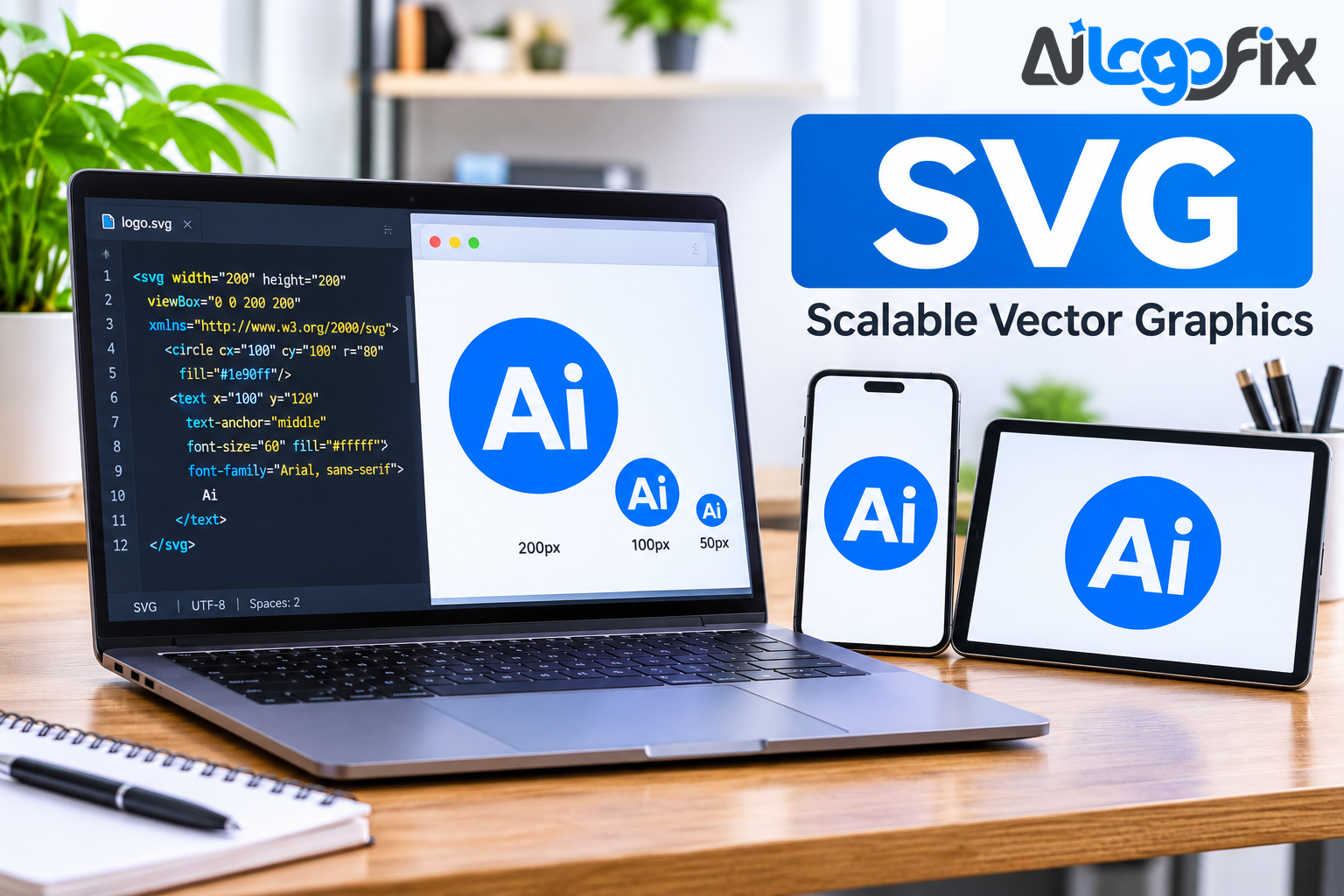
An SVG document begins with an `<svg>` root element. Inside it, XML elements such as `<circle>`, `<rect>`, `<path>`, and `<text>` tell the viewer what to draw. A circle in SVG is not thousands of pixels arranged in a ring — it is a single instruction: draw a circle here, with this radius, filled with this color.
Every SVG file also defines a `viewBox` — a coordinate system that tells the browser or software how to map the internal path data to whatever pixel dimensions it is displayed at. That is what makes SVG resolution-independent: the shapes are re-drawn at whatever resolution is asked for, rather than resampled.
Because the file is markup, it behaves like source code: open it in a text editor, edit it by hand, and track it in version control. Text inside an SVG stays text — selectable, searchable, and readable by a screen reader.
SVG also supports interactivity and animation: shapes can respond to clicks and hovers, change color with CSS, and animate with built-in elements. That makes it far more than a static image format — it is a programmable graphic.
SVG vs PNG and JPG
- Made of: SVG: Mathematical paths (XML); PNG / JPG: Grid of pixels
- Scaling: SVG: Infinite — always sharp; PNG / JPG: Blurs past native resolution
- File editing: SVG: Open in a text editor, edit the code; PNG / JPG: Needs an image editor
- Text: SVG: Real, selectable, searchable text; PNG / JPG: Text baked into pixels
- Transparency: SVG: Native, clean edges; PNG / JPG: PNG yes, JPG no
- Animation: SVG: Built-in, plus CSS and scripting; PNG / JPG: None
- Best for: SVG: Logos, icons, diagrams, line art; PNG / JPG: Photos, complex images
The rule is simple: if the artwork is built from flat color and hard edges — a logo, an icon, a diagram — SVG is the right format. If it is a photograph with millions of colors and soft gradients, use PNG or JPG. Vectors are the wrong tool for photos, and pixels are the wrong tool for logos.
SVG vs AI, EPS, and PDF
SVG is one vector format among several, and each has its job:
- AI is Adobe Illustrator's native format — the editable master for designers. It holds the most editing information but needs Illustrator to open properly.
- EPS is an older, widely supported format that print shops still ask for. It can hold both vector and raster data, which is also its weakness — an EPS can secretly contain pixels.
- PDF is the universal shareable format. A PDF can contain true vector paths, which makes it excellent for print, but it is a delivery format, not an editing master.
- SVG is the web format: open, text-based, and natively supported by browsers. It is the best choice for anything displayed on a website, and a perfectly good delivery format for logos.
A professional logo package includes all of them. AiLogoFix's raster to vector service delivers AI, EPS, SVG, and PDF together, so the logo works everywhere — web, print, signage, and merchandise — from $10.
Where SVG Shines
SVG is the right answer for:
- Logos on websites. One file serves every screen density and every zoom level. No more exporting the same logo at five sizes.
- Icons and UI elements. Crisp at any size, tiny file sizes, and recolorable with CSS — change an icon's color without touching the file.
- Diagrams and charts. Lines and text stay sharp, and the text remains searchable and accessible.
- Line art and illustrations. Flat color and hard edges are exactly what SVG does best.
- Responsive design. A logo that scales from a phone to a 4K monitor without a second file.
For developers, SVG has practical advantages no raster format can match: it can be inlined directly into HTML, styled with CSS, animated, and compressed extremely well, because XML contains many repeated text fragments — gzip compression works very effectively on SVG files.
Where SVG Falls Short
SVG is not a universal format, and knowing its limits is part of understanding it:
- Photographs. A photo traced into SVG becomes a posterized approximation with thousands of paths. It looks worse and the file is bigger. Keep photos as JPG.
- Print color management. SVG is a screen-first format. For professional print, CMYK workflows still belong to AI, EPS, and PDF.
- Complex gradients and effects. Heavy gradients, shadows, and filters can bloat an SVG and render inconsistently across software.
- Fake SVGs. A file with a `.svg` extension can technically have a raster image embedded inside its XML wrapper. If an SVG looks blurry when zoomed, it likely has a raster image embedded rather than true vector paths — the extension changed, but the picture inside is still pixels.
Common SVG Problems (and Fixes)
SVG looks blurry when zoomed. The file has a raster image embedded inside it. Fix: get the artwork properly traced into real paths.
SVG colors look wrong. The file may use RGB values that render differently across browsers, or the paths may carry unexpected fills from an auto-trace. Fix: define colors explicitly and check them in more than one browser.
SVG won't open in Cricut or Silhouette. Cutting software needs clean, closed paths. Auto-traced SVGs with hundreds of nodes, open paths, or stray points will fail. Fix: simplify the paths and close every shape — or get the file redrawn by hand.
SVG file is huge. Complex auto-traces with thousands of anchor points bloat the file. Fix: simplify paths, remove hidden layers, and delete unused elements.
Text renders in the wrong font. The SVG references a font the viewer's system does not have. Fix: convert text to outlines for delivery, and keep a live-text master for editing.
Getting a Clean SVG From a Raster Logo
Most logos that need an SVG start as a JPG or PNG. Converting them properly takes more than a file converter:
1. Start from the best source you have — the highest-resolution version, even a screenshot or a photo of a sign. 2. Trace it by hand — a designer redraws every shape, resets the text in the real font, and defines flat colors. Auto-trace produces bloated files with wobbly edges. 3. Check it at high zoom — straight edges straight, corners sharp, colors flat and named. 4. Deliver it with the full set — SVG for the web, plus AI, EPS, and PDF for print and production.
If your logo exists only as a sketch, the sketch to vector service rebuilds it the same way. If you need a clean outline version of an image, the image to outline service turns it into crisp line art. And if you are starting from scratch, the logo design service creates original logos from $30 — delivered with the full vector package included.
FAQ
Is SVG a vector file?
Yes. SVG stores image data as XML-based mathematical paths, which means it scales to any size without pixelation or quality loss. The W3C first published the SVG standard in 1999, and SVG 2 is the current specification.
Is SVG better than PNG?
For logos, icons, and line art — yes, by a wide margin. SVG scales infinitely, stays sharp, and can be recolored and animated. For photographs, PNG is better, because photos are pixel data and SVG cannot represent them well.
Can I use SVG for print?
SVG works for some print workflows, but professional print still prefers AI, EPS, or PDF with CMYK colors. Use SVG for the web, and keep the print formats for print.
Why does my SVG look blurry?
It probably has a raster image embedded inside it instead of true vector paths. A real SVG stays sharp at any zoom level. If it blurs, the artwork was never actually traced.
Do all browsers support SVG?
Yes. SVG has native support in every modern browser — Chrome, Firefox, Safari, and Edge — with no plugin needed.
Conclusion
SVG is a simple idea executed well: describe a picture with instructions instead of pixels, and it will look perfect at any size, on any screen, forever. It is open, text-based, searchable, styleable, and supported everywhere that matters.
But an SVG is only as good as the paths inside it. Check your files at high zoom, and your graphics will look sharp everywhere — from a favicon to a billboard.
One file, every screen — that's the power of a real SVG.
Your logo deserves a real SVG — clean paths, true geometry, and every format you will ever need. AiLogoFix's specialist team redraws your logo by hand into a complete vector package: AI, EPS, SVG, and PDF, plus high-resolution PNG and JPG. Every order includes refinements within your selected package and agreed brief, and full commercial rights.
Get a Clean SVG of Your Logo →
Not sure your SVG is real? Message the team — send your file and we will tell you exactly what it needs, for free.