
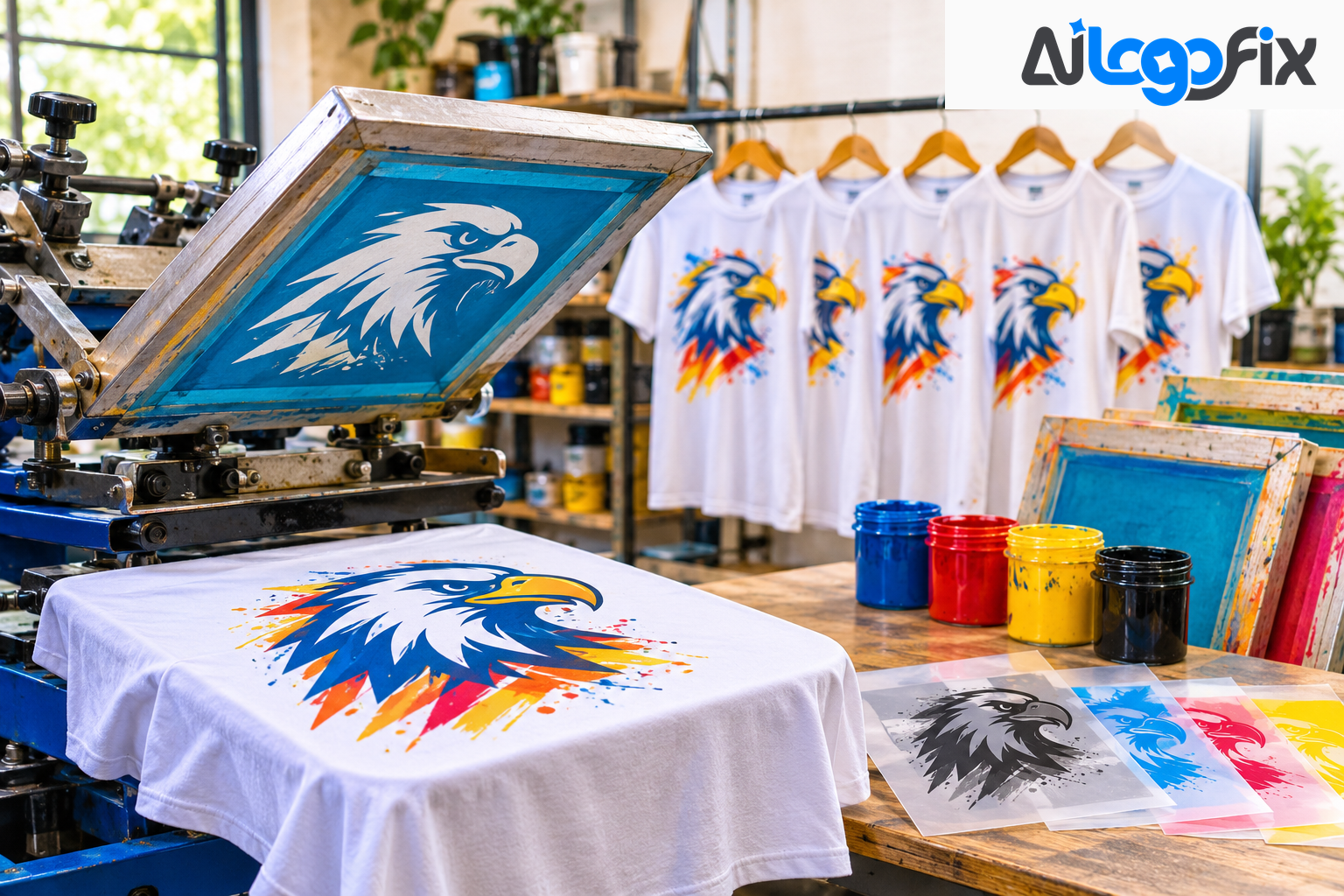
You send your logo to a screen printer for t-shirts. They reply: "We need a vector file." You send the JPG again, a little larger this time. They reply again: "We need a vector file." If you have ever been stuck in this loop, this guide ends it.
Screen printing is one of the most demanding uses of a logo file. Every ink color gets its own screen, its own pass on the press, and its own stencil — and all of that starts from your artwork. This guide explains what screen printers need, why they need it, and how to prepare a vector file that prints clean on every shirt.
Why Screen Printers Insist on Vector
Screen printing works by pushing ink through a mesh screen onto fabric. Each color in your design needs its own screen: a four-color logo requires four screens, a seven-color design requires seven screens. Each screen is made by exposing it to a film positive — a high-contrast black image of a single color layer — which hardens the mesh where ink should not pass and leaves the ink-transfer areas open.
That is the critical point: every color must be isolated as a completely separate layer with clean, hard edges. The film positive for each color is essentially a black-and-white stencil of that color's region. For that stencil to be sharp and usable, the artwork that creates it must have mathematically precise edges — not soft, blended, or pixel-approximated ones.
A raster image cannot do this. Colors blend at the pixel level, so they cannot be separated cleanly. Enlarge a JPG and the edges go soft — and soft edges make soft stencils, which make blurry prints. A vector file stores each color as a closed path with a hard edge, so it separates perfectly. That is why the vector file is not a preference. It is a requirement.
Spot Colors and Separations: The Core Idea
The single most important rule for screen-print artwork is: one color per layer, with no blending between them. A screen can only lay down one ink at a time, so every color in your design must exist as its own closed shape.
Here is how it works in practice:
- Spot colors, not gradients. Define each ink color as a spot color, ideally specified as a Pantone (PMS) value. RGB and CMYK values do not translate reliably to ink — a Pantone number tells the printer exactly which ink to mix. Replace every gradient and tint with a flat color from your ink library.
- One layer per color. Move each color onto its own named layer — "Red," "Black," "Cream." This is what the separation software and the press operator read. If your design uses gradients or transparency, they must be simulated with halftone patterns before the file can be used.
- Traps and overlaps. Expand shapes slightly so adjacent colors overlap by 0.5–1 pt. On press, the shirt or screen can shift a fraction of a millimeter; without that overlap, a thin white gap appears between colors. This small overlap hides the shift.
- Flat fills only. No blends, no transparency, no soft shadows. Strong screen-print graphics are built from flat color blocks, bold type, and clean line work — exactly the kind of art that converts beautifully to vector.
The Screen-Print-Ready Checklist
Before you send any file to a screen printer, check it against this list. It is drawn from the production requirements published by Vector Refinery, Danger Press, and Heritage Screen Printing:
- All artwork built from vector paths: Standard: Required; Why it matters: No embedded raster images — every shape must be a mathematical path
- Flat, solid color fills only: Standard: Required; Why it matters: No gradients, blends, or transparency — screen printing uses solid spot inks
- Pantone spot colors assigned: Standard: Required; Why it matters: Ensures consistent ink color on press — RGB and CMYK do not translate reliably
- Each color on its own layer: Standard: Required; Why it matters: Clean separation enables film positive production for each screen
- All text converted to outlines: Standard: Required; Why it matters: Prevents font substitution silently changing the design
- Minimum line weight: Standard: 0.5 pt (1 pt per Heritage); Why it matters: Thinner lines cannot hold enough ink through the mesh
- Minimum text size: Standard: 6–7 pt; Why it matters: Smaller text breaks down under mesh count and ink pressure
- File format: Standard: AI or EPS preferred; Why it matters: Industry standard formats for screen printing workflows
- Sizing: Standard: At final print size; Why it matters: Art must be sized correctly to the desired printing size
One practical test: hide every layer except one color. If you can see a complete, closed silhouette of that ink with no holes or stray fragments, that color is separation-ready. Do this for every color before you send the file.
What Happens When You Send a Raster File
If you send a JPG or PNG to a screen printer, one of three things happens:
1. They reject it. The honest shops tell you upfront that they need vector. You lose days going back and forth. 2. They charge you to fix it. Many shops offer file preparation as a service — cleanup, color separation, and redrawing low-resolution files — for an art charge. Heritage Screen Printing, for example, charges an art fee when files arrive unprepared. 3. They print it anyway, badly. The colors cannot be separated cleanly, the edges print soft, and the shirts come out looking amateur — shirts you paid for but cannot sell or wear.
A raster file at 300 DPI at the actual print size can work for some jobs — but only for full-color photographic prints using simulated process, not for standard spot-color work. And a small web image can never be enlarged into a clean print: 300 DPI at thumbnail size is not 300 DPI at shirt size. Vector sidesteps the entire problem, because it scales to any size without losing quality.
Gradients, Halftones, and Photos
Not every design is flat spot colors. Here is how screen printing handles the exceptions:
- Gradients cannot be printed as smooth blends in standard spot-color work. They must be simulated with halftone dots — tiny circles of varying size that the eye merges at a distance. For most jobs, replacing the gradient with solid spot colors is cleaner and cheaper.
- Photographs need simulated process or four-color process printing, which breaks the image into halftone dots. These methods work best on white garments and need high-resolution raster art — at least 200–300 PPI at final size, with a transparent background for simulated process.
The rule of thumb: if the design is a logo or lettering in one to four solid colors, the shop needs vector. Send a clean AI or EPS and the separations are straightforward.
Screen Print vs DTF: When a PNG Is OK
Direct-to-film (DTF) printing is a full-color digital process with no separations — and it changes the file rules. For DTF, a high-resolution PNG at 300 DPI at the real print size, with a transparent background and clean edges, can print well. That is why some shops accept PNGs for DTF jobs.
But vector is still the safer master file: it fixes a low-resolution PNG, holds solid brand colors and small text better, and works for both screen print and DTF. Keep the vector master and export a PNG from it when a DTF printer asks — never the other way around.
Preparing Your File, Step by Step
1. Start from the cleanest source you have. The highest-resolution logo file, even a screenshot or a photo of a shirt. 2. Get it traced by hand. A designer redraws the artwork as clean paths with flat spot colors, each on its own layer — no stray points, no rough edges. 3. Assign Pantone spot colors to every ink, and separate each color onto its own layer. 4. Convert all text to outlines so the design never shifts on another system. 5. Check line weights and text sizes against the checklist above. 6. Add traps where colors meet, overlapping by 0.5–1 pt. 7. Export as AI or EPS at the final print size, and keep the editable master.
If that sounds like a lot of work, it is — and it is exactly what a vector tracing service does for you. AiLogoFix's raster to vector service redraws your logo by hand into clean, separation-ready vector files — AI, EPS, SVG, and PDF — from $10, with delivery from 24 hours. If your logo itself needs changes before print — colors adjusted, text fixed, layout cleaned up — the logo modify service handles that from $15. And if your artwork starts as a hand-drawn design for a tee, the sketch to vector service turns it into print-ready vector art.
FAQ
Why does my screen printer need a vector file?
Because each ink color needs its own screen, and each screen needs a clean stencil made from a separate color layer. Only vector artwork separates into clean, hard-edged color layers. Raster images blend colors at the pixel level and cannot be separated.
Can I send a high-resolution PNG instead?
For standard spot-color screen printing, no — the colors still cannot be separated. For DTF printing, a 300 DPI PNG with a transparent background can work. When in doubt, ask the printer which process they use.
What is a spot color?
A spot color is a single, pre-mixed ink color — usually specified as a Pantone (PMS) value — printed in one pass. Screen printing uses spot colors; your screen does not mix CMYK on the shirt.
My logo has a gradient. Can it be screen printed?
Yes, but the gradient must be simulated with halftone dots, which adds cost and complexity. Replacing the gradient with two or three solid spot colors usually prints cleaner and cheaper.
Conclusion
Screen printing rewards clean files and punishes messy ones. A vector file with flat spot colors, separated layers, outlined text, and proper line weights sails through production: the separations are clean, the stencils are sharp, and every shirt comes off the press looking like the design. A raster file fights the process at every step — rejected, charged for cleanup, or printed badly.
Clean separations, sharp prints — every shirt, every run.
Your t-shirts deserve artwork that prints exactly as designed. AiLogoFix's specialist team redraws your logo by hand into separation-ready vector files — flat spot colors, clean layers, outlined text — so your printer gets a file that just works. Every order includes refinements within your selected package and agreed brief, and full commercial rights.
Get a Screen-Print-Ready Vector File →
Not sure your file will separate? Message the team — send your artwork and we will tell you exactly what it needs, for free.