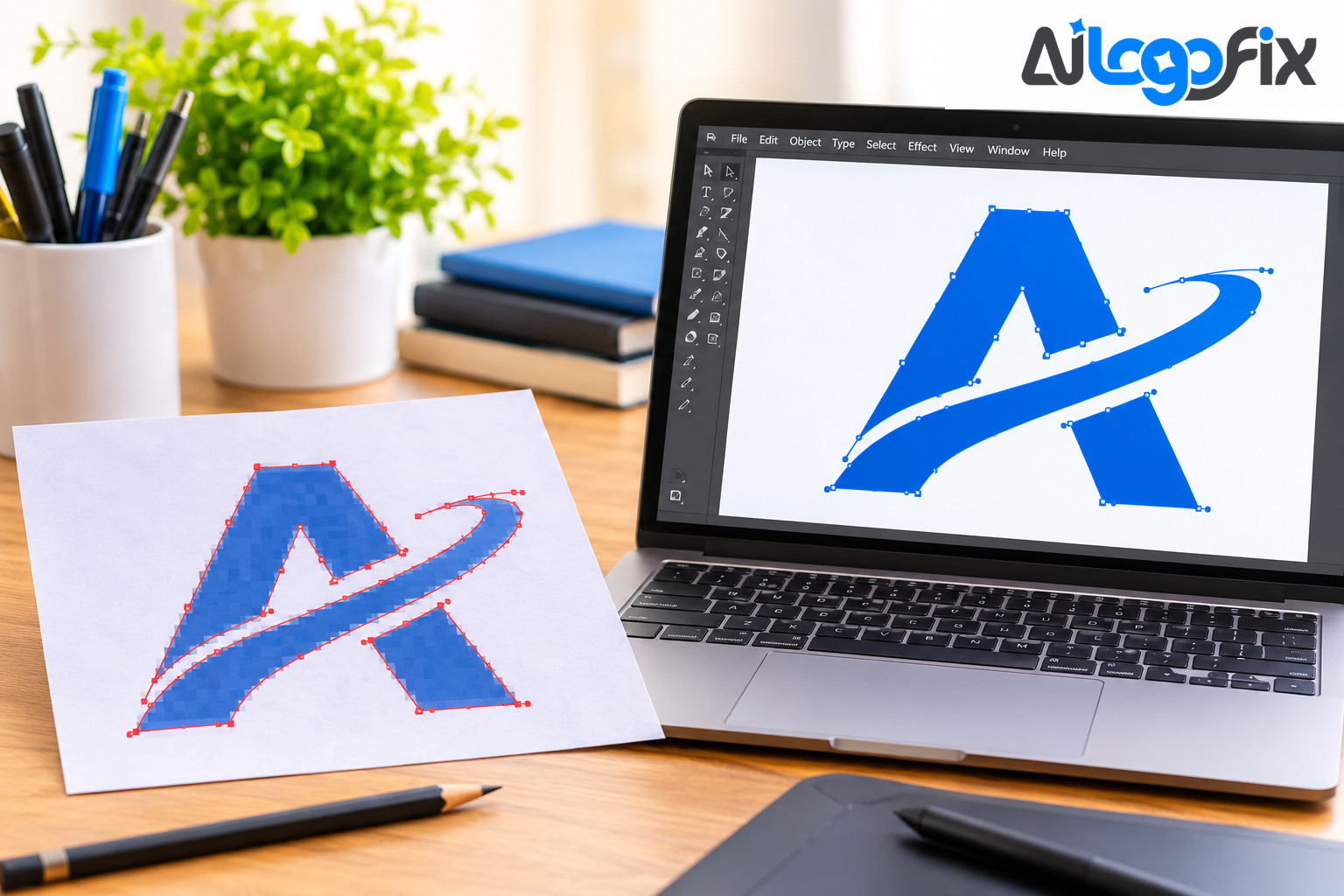
You have one copy of your logo. It is a small JPG, or a screenshot, or a photo of a sign. You need it as a vector — and now you face a choice: run it through a tracer, or redraw it by hand?
Both routes end with a vector file. They do not end with the same vector file. Tracing copies what is in the pixels, faults included. Redrawing rebuilds the logo the way it was designed to look. Knowing which one your logo needs saves you from a file that looks fine at thumbnail size and falls apart everywhere else.
First, what the two methods actually do
Vectorizing (auto-tracing) means software looks at your image, finds the edges between colours, and draws paths around them. Illustrator's Image Trace, Inkscape's Trace Bitmap, and online converters all work this way. It takes seconds, and for the right source it works well.
Redrawing means a designer rebuilds the logo by hand with the pen tool, tracing over a locked copy of your image and placing every curve deliberately. It takes minutes to hours, and it gives you direct control over every curve, the number of points, and the exact colours.
Neither is "the correct method" in general. The right one depends on your source file and what the vector is for.
When vectorizing (tracing) is enough
Tracing earns its keep when the source is already close to the finished artwork:
- The logo is flat, high-contrast, and high-resolution. Solid shapes, a few clean colours, sharp edges. Most simple logos and icons fall into this group.
- The file will only be printed or shown on screen. A trace that is slightly rough at 400% zoom still prints fine on a flyer.
- You need a quick draft, not a master file you will live with for years.
A useful test from professional vector artists: zoom the source to 100%. If you can read every letter and see a clean edge on every shape, a trace plus cleanup is worth trying. If letters merge or edges blur, plan on a redraw from the start — tracing a weak source just copies its faults into vector form.
When you should redraw instead
Redraw when any of these apply:
1. The source is low-resolution or blurry
This is the most common reason. A blurry 200-pixel logo traces into a blurry vector — the tracer has no detail to work with, so it invents wobbly edges. Adobe's own Image Trace guidance warns that tiny or barely recognizable raster sources cannot produce high-quality traced artwork. If your only copy is small, redraw it.
2. The logo has small text
Small lettering is where auto-trace fails first. Letters merge, counters fill in, and serifs turn to blobs. If your logo's name must stay readable — on a business card, a label, a website header — redraw the text properly instead of accepting whatever the tracer guessed.
3. The file is for cutting, engraving, or embroidery
Cutting machines, laser engravers, and embroidery digitizers follow vector paths literally. An auto-trace produces thousands of unnecessary anchor points where a redraw uses tens — and a cutter follows every node, so the result is jagged edges and wasted material. Most professional embroidery shops redraw logos from scratch rather than trace them, because the digitizing software needs clean, simple paths to generate accurate stitch patterns. If the end use is a machine, redraw.
4. The logo has gradients, shadows, or photographic elements
Soft gradients and photographic detail flatten into posterized blobs under a tracer. A redraw rebuilds the mark as flat, clean shapes — which is what a logo should be in the first place.
5. The logo is brand-critical
Your logo will sit on packaging, signage, and merchandise for years. A trace that is "almost right" costs more in fixes and reprints than a redraw costs once. Match the technique to the deliverable: a one-off social media icon rarely justifies a full manual redraw, but a logo going on packaging, signage, and merchandise for years deserves the manual precision pass.
6. The auto-trace came back messy
If you already tried tracing and the result has rough edges, wrong colours, or hundreds of stray points, stop re-running the converter. In one published test, an AI-traced logo came back eight times larger than the original file, with one colour drifted and the corners of a plain rectangle cut off. When a trace is close but not exact, finishing it by hand is usually faster than running the tracer again — and when it is far off, a fresh redraw is faster than cleaning up the mess.
What a proper redraw gives you
A hand redraw is not just a cleaner trace. It gives you:
- Fewer, cleaner nodes. A trace typically produces thousands of anchor points where a redraw uses tens. Fewer nodes mean smoother curves, smaller files, and machines that follow the paths properly.
- Real, editable layers. Manually traced paths come organised — separate paths for outline, shadow, and highlight — which automatic tracing rarely produces cleanly.
- Exact colours and typography. The designer matches your brand colours and rebuilds lettering as real type, not traced blobs.
- A master file you can trust. One file that works at favicon size and billboard size, for print, cut, stitch, and screen.
The hybrid route (and when it makes sense)
In practice, most professional workflows use both: an automatic trace to get a rough base, followed by manual node cleanup to tighten curves and remove redundant points. This works when the source is decent and the trace is close. It does not rescue a bad source — if the trace is wrong, the cleanup takes longer than starting over.
So, which one does your logo need?
Run this quick check:
- Flat, high-resolution logo, print or screen only: Best route: Auto-trace, then clean up
- Trace is close but edges need work: Best route: Trace plus manual cleanup
- Blurry, low-resolution, or photographic source: Best route: Redraw by hand
- Small text that must stay readable: Best route: Redraw by hand
- File is for cutting, engraving, or embroidery: Best route: Redraw by hand
- Logo is brand-critical and long-lived: Best route: Redraw by hand
If you are unsure, send the file to someone who does this daily and ask. A good provider will look at your source and tell you honestly whether a trace will do — and a redraw is the answer more often than people expect.
FAQ
Is redrawing a logo more expensive than tracing it?
It takes more time, so it usually costs more than a one-click trace. But a trace that needs hours of cleanup, or a reprint caused by a bad file, costs more in the end. For a logo you will use for years, the redraw is the cheaper option overall.
Can any logo be redrawn, even from a tiny screenshot?
Almost always, yes — if a human can see what the logo is supposed to look like, a designer can rebuild it. The only real problem is unreadable text: if letters cannot be made out at all, the designer will need you to confirm the wording or the font.
Will a redrawn logo look exactly like my original?
A redraw rebuilds your logo as it was designed — clean curves, correct colours, proper lettering. If the original had flaws baked in from a bad export, the redraw fixes them, so the result looks like your logo on its best day.
How long does a manual logo redraw take?
A simple logo can be redrawn in hours; a detailed or damaged one takes longer. AiLogoFix's Raster to Vector service delivers from 24 hours, with the exact time shown on the package you choose.
What if my logo was made by an AI generator?
AI logos have their own problems — garbled text, warped shapes, broken symmetry. Those need more than a trace; they need a rebuild. AiLogoFix's AI-Generated Logo Fix service repairs AI logo flaws and rebuilds the artwork as a clean, professional vector.
Conclusion
Tracing and redrawing both produce vectors, but they are not interchangeable. Tracing is fast and fine for clean, simple sources headed for print or screen. Redrawing is the answer when the source is blurry, the text is small, a machine will follow the paths, or the logo has to carry your brand for years. When in doubt, redraw — a clean master file pays for itself every time the logo is used.
Not sure which route your logo needs?
Send your file to the AiLogoFix team and we will look at it for free. Our designers manually redraw logos as clean, production-ready vectors — AI, EPS, SVG, and PDF — with full commercial rights and refinements within your selected package and agreed brief. If a trace would do, we will tell you. If it needs a redraw, we will do it properly.
Get your logo redrawn as a vector →
Need a tweak to your existing logo first? See the Logo Modify service. Questions? Message the team — we reply fast.