

Sketch to vector conversion turns a hand-drawn idea into clean, scalable artwork you can actually use for your brand. If you are a founder who has sketched a logo on paper, in a notebook, on a whiteboard, or even on a napkin, you do not need to start over. Your sketch can become the starting point for a professional vector logo.
In This Guide
- What Does Sketch to Vector Mean?
- Why Founders Often Start With a Hand-Drawn Logo
- Real Sketch to Vector Before and After Examples
- How Our Sketch to Vector Process Works
- What Should You Send With Your Sketch?
- How to Photograph a Logo Sketch With Your Phone
- What Files Do You Get After Sketch to Vector Conversion?
- Sketch to Vector vs. Automatic Tracing
- Where Can You Use the Finished Vector Logo?
- How Much Does Sketch to Vector Cost?
- How Long Does Sketch to Vector Take?
- When Should You Choose Sketch to Vector Instead of a Full Logo Redesign?
- 7 Common Sketch to Vector Mistakes Founders Should Avoid
- When Sketch to Vector Is the Right Choice for a Startup
- Turn Your Hand-Drawn Idea Into a Professional Vector Logo
- Frequently Asked Questions
At AiLogoFix, we manually rebuild hand-drawn concepts as clean vector artwork while preserving the idea that made the sketch yours. The result can be used for websites, pitch decks, packaging, merchandise, signage, social media, and professional printing.
If you already have a sketch ready, you can view our Sketch to Vector Service and send us your drawing for review.
What Does Sketch to Vector Mean?
A paper sketch is a visual idea. A vector file is a production-ready version of that idea built from editable paths, curves, and shapes.
When you photograph or scan a drawing, the result is usually a raster image such as JPG or PNG. It is made from pixels. That is fine for showing someone your idea, but it is not ideal as the master file for a logo. If you enlarge it too much, the image can become blurry or pixelated.
A true vector file behaves differently. Because the artwork is rebuilt with paths and shapes, it can be resized from a tiny website icon to a large sign without losing sharpness. It can also be recolored, edited, rearranged, and exported into different formats more easily.
Why Founders Often Start With a Hand-Drawn Logo
Many founders know what they want visually before they know how to create it digitally. You may already have the symbol in your head: initials joined together, a mountain, an animal, a badge, a product shape, a mascot, or a handwritten wordmark.
That rough drawing is already valuable because it communicates your concept. It can show the basic shape, the visual hierarchy, the personality, and the relationship between different elements.
You do not need perfect drawing skills. The sketch only needs to make the idea understandable.
Think of your sketch as the creative brief. You bring the idea; our designers handle the clean vector paths, geometry, color, typography, and final professional files.
Real Sketch to Vector Before and After Examples
These are real examples from our Sketch to Vector service. They show how rough hand-drawn ideas can be cleaned and rebuilt without losing the original concept.
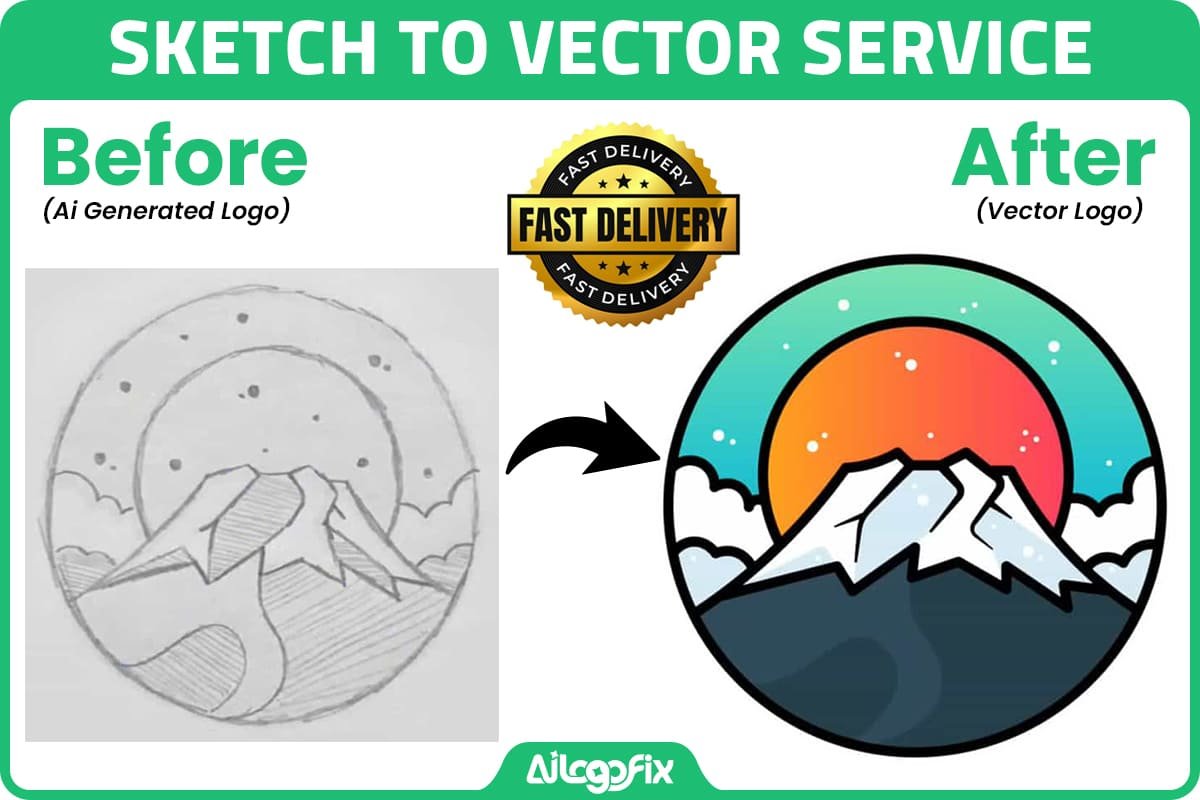
The mountain badge keeps the same core landscape idea while the rough pencil geometry becomes cleaner, more balanced, and ready for professional use.

The pizza illustration keeps the playful feeling of the sketch while the outlines, proportions, and colors are refined into polished vector artwork.
How Our Sketch to Vector Process Works
1. Send Us Your Sketch
Start with the clearest version you have. It can be a phone photo, scan, JPG, PNG, PDF, or another reference image. You do not need to redraw the idea just to make it look more professional before sending it.
Along with the image, tell us your brand name and which parts of the design must stay the same. If you already know the colors, style, or font direction you want, include those too.
2. We Review the Design Intent
Before rebuilding the artwork, we look at the structure of the sketch. We identify the main shapes, line style, symmetry, lettering, spacing, proportions, and any areas that may need clarification.
This matters because not every imperfect line should be corrected in the same way. Sometimes a rough edge is accidental. Other times the handmade character is part of the identity.
3. We Manually Redraw the Artwork
Our Sketch to Vector service uses manual vector redrawing in Adobe Illustrator rather than depending on a one-click automatic trace for the finished result.
That allows us to interpret what the sketch is trying to communicate instead of simply copying every pencil wobble. Curves can be rebuilt smoothly, corners can be made intentional, and unnecessary points or marks can be removed.
Adobe also explains that traced artwork ultimately becomes editable vector paths that can be refined further, which is why cleanup and design judgment matter after any initial tracing step. You can read more about vector tracing in Adobe Illustrator’s Image Trace documentation.
4. We Refine Shapes, Lines, and Typography
A rough sketch often contains uneven circles, inconsistent line weights, mismatched sides, accidental gaps, or lettering that was only meant as a placeholder. During the vector cleanup stage, those parts can be corrected while preserving the original concept.
If your sketch contains hand lettering, there are several options. We can preserve the hand-drawn character, refine the lettering while keeping its style, or use more conventional typography when the handwritten text was only a guide.
5. You Review the Vector Draft
Once the first version is ready, you can review how the idea translated from paper to vector. This is the stage to point out anything that needs to move closer to the original sketch or anything you now want improved.
6. We Prepare the Final Files
After approval, the artwork is prepared for practical use. Depending on the package and project, our published Sketch to Vector deliverables include professional formats such as AI, EPS, SVG, PDF, and high-resolution PNG.
These formats give you a proper master file plus everyday versions for websites, presentations, social media, printing, packaging, and production.
What Should You Send With Your Sketch?
The better we understand your idea, the easier it is to create a result that feels like your brand. Along with the drawing, send a few simple details:
- Your business or brand name.
- The parts of the sketch that must remain unchanged.
- The parts we are allowed to clean, simplify, or improve.
- Your preferred colors, if you have them.
- Any font or typography references you like.
- The style you want: modern, premium, playful, handmade, bold, minimal, technical, or another direction.
- Where you plan to use the logo first, such as a website, app, packaging, T-shirt, sign, or printed material.
You do not need to write a long design brief. A few clear notes can prevent unnecessary revisions and help us understand which imperfections are intentional.
How to Photograph a Logo Sketch With Your Phone
A professional scanner is helpful, but it is not required for most clear sketches. A good phone photo is often enough.
- Place the paper on a flat surface.
- Use bright, even lighting.
- Avoid shadows covering important parts of the drawing.
- Hold the phone directly above the paper instead of shooting from a steep angle.
- Tap the sketch to make sure the camera focuses on the lines.
- Fill most of the frame with the drawing while keeping a small margin around it.
- Send the original camera image when possible instead of a screenshot.
- Take an extra close-up if the sketch includes small lettering or fine details.
If you use a scanner, around 300 ppi is a practical starting point for most logo sketches. Faint pencil work or very detailed drawings may benefit from a higher-resolution scan.
What Files Do You Get After Sketch to Vector Conversion?
Different file formats serve different purposes. A professional logo package normally includes both editable vector files and easy-to-use raster exports.
- AI: the editable Adobe Illustrator master file.
- SVG: ideal for websites, apps, and scalable digital graphics.
- EPS: useful when a printer or production vendor specifically requests it.
- PDF: convenient for printing, sharing, proofing, and vendor handoff.
- PNG: useful for transparent-background digital use.
- JPG: useful for simple previews and situations where transparency is not needed.
Keep the editable vector master safely stored. That file gives you much more flexibility when your company needs future brand updates, new layouts, packaging, signage, or other design work.
Sketch to Vector vs. Automatic Tracing
There are online tools that can convert an image into vector paths automatically. They can be useful for quick experiments, but conversion alone does not guarantee professional logo artwork.
An automatic trace may create too many anchor points, lumpy curves, uneven corners, or unnecessary shapes. It also cannot always understand which details in your drawing are intentional and which are simply rough pencil marks.
For a business logo, the important part is not only turning pixels into paths. The important part is rebuilding the idea cleanly.
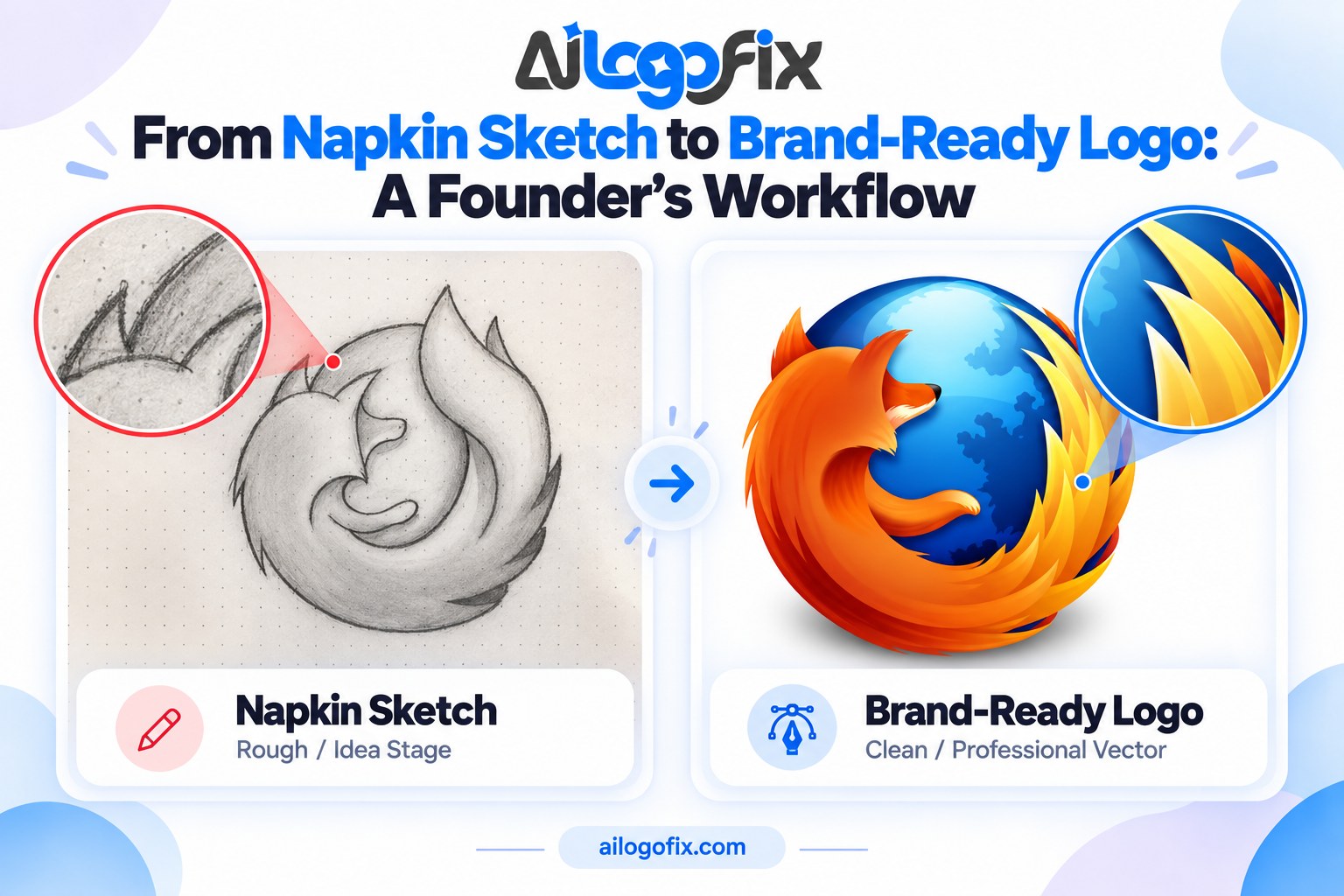
That is why our Sketch to Vector service focuses on manual redraw and refinement rather than delivering an untouched auto-traced result.
Where Can You Use the Finished Vector Logo?
Once your hand-drawn idea becomes clean vector artwork, the same brand asset can support many parts of your business:
- Website headers and favicons.
- Social media profile images and posts.
- Pitch decks and investor presentations.
- Business cards and stationery.
- Product packaging and labels.
- T-shirts, uniforms, and merchandise.
- Storefront signs and banners.
- Stickers and decals.
- Embroidery and screen-printing preparation.
- Large-format printing.
This is one of the biggest reasons founders should keep a clean vector master instead of relying only on a JPG or screenshot.
How Much Does Sketch to Vector Cost?
Our Sketch to Vector service is currently available from $15, with packages based on the complexity of the artwork. Simple drawings need less reconstruction, while detailed or complex illustrations can require more manual vector work.
Because package pricing and availability can change, the live Sketch to Vector service page is the best place to check the current options before ordering.
How Long Does Sketch to Vector Take?
Turnaround depends on the complexity of the drawing. Our current service page lists delivery windows for Simple, Detailed, and Complex sketch-to-vector projects. Check the live package details when you order so you see the latest delivery options.
If your project has a specific deadline, message our team before ordering so we can review the sketch and confirm the right package.
When Should You Choose Sketch to Vector Instead of a Full Logo Redesign?
Choose sketch to vector when you already like the concept and mainly need it professionally rebuilt.
A full redesign makes more sense when the basic idea itself is not working, the brand direction has changed, or you want completely new concepts. But if you already have a symbol or drawing that represents your idea well, vectorizing and refining that concept can be a faster, more focused route.
If you are unsure, send us the sketch. We can look at it and tell you whether it is better suited for vector recreation, modification, or a larger redesign.
7 Common Sketch to Vector Mistakes Founders Should Avoid
A sketch to vector project usually goes smoothly when the original idea is clear and the brief explains what matters. Most problems come from a few avoidable mistakes.
1. Sending a Dark or Blurry Photo
If important pencil lines disappear in shadow or camera blur, the designer has to guess what the shape was meant to be. You do not need studio photography, but the sketch should be easy to read. A second close-up can help when there are small details.
2. Cropping Part of the Drawing
Make sure the whole concept is visible. A missing border, letter, or construction line can change how the artwork is interpreted. Leave a small amount of space around the drawing when you photograph it.
3. Not Explaining Which Imperfections Are Intentional
This is especially important for handmade brands. A rough edge may be part of the personality, while another uneven line may simply be a drawing mistake. Tell us what you want preserved so the sketch to vector conversion does not make the design feel too mechanical.
4. Treating Placeholder Text as Final Typography
Founders often write the business name quickly under a symbol just to show the layout. If that handwriting is only a placeholder, say so. We can then focus on selecting or rebuilding typography that better matches the final identity.
5. Asking for Every Pencil Mark to Be Traced Literally
A professional logo usually needs interpretation. Construction lines, eraser marks, accidental overlaps, and shaky contours are useful evidence of your thought process, but they do not always belong in the finished vector. The goal is to preserve the idea, not every accidental mark on the paper.
6. Forgetting Where the Logo Will Be Used
A logo for a mobile app icon may need stronger simplicity than an illustration for a T-shirt. A logo that will be embroidered may need different detail decisions from one used only on a website. Tell us the most important use cases so the vector artwork can be refined with those situations in mind.
7. Keeping Only the PNG After Delivery
PNG is convenient, but it should not be your only master file. Keep the editable AI, SVG, EPS, or PDF vector files safely stored. Those files make future resizing, printing, recoloring, and brand updates much easier.
When Sketch to Vector Is the Right Choice for a Startup
Sketch to vector is a strong option when you already have a concept you believe in and you mainly need professional execution. It is especially useful during the early stages of a startup, when speed matters but you do not want to lose the original idea that inspired the brand.
For example, you may have drawn a monogram during a meeting, created a simple icon for your app, sketched a badge for a local business, or developed a product symbol on paper. Instead of commissioning completely unrelated concepts, you can use your own drawing as the foundation.
This approach also gives founders more control. You can identify exactly which parts of the idea should stay, then let the designer refine the geometry, spacing, line weight, typography, and colors around that core.
A sketch to vector logo is also useful when you need to move quickly from concept to practical brand materials. Once the vector master is approved, it can support your website, social profiles, pitch deck, business cards, packaging, signage, apparel, and other launch materials.
If your sketch already feels recognizable and meaningful to you, professional vectorization can be the bridge between “I drew this idea on paper” and “this is now our official logo.”
Turn Your Hand-Drawn Idea Into a Professional Vector Logo
Your logo does not need to begin as a polished digital design. Sometimes the strongest idea starts with a pencil and a piece of paper.
If you have already drawn something that feels right, do not leave the idea trapped in a notebook. We can turn your sketch into clean, scalable vector artwork while keeping the concept that made you draw it in the first place.
View our Sketch to Vector Service to see the current packages and more examples.
Prefer to ask first? Message the AiLogoFix team and send us your sketch for review.
Turn your sketch into a professional vector logo.
If you have a hand-drawn logo idea sitting in a notebook, our specialist team can manually redraw it as clean, scalable vector artwork. Send us your sketch for review and we will preserve the concept you love while preparing professional files you can actually use.
Or message the AiLogoFix team and send us your sketch for a quick review.
Frequently Asked Questions
Does my sketch need to look professional?
No. It only needs to communicate your idea clearly enough for our designer to interpret. Rough lines, construction marks, and imperfect geometry can be cleaned during vectorization.
Can I send a phone photo of my drawing?
Yes. A clear, well-lit phone photo is usually enough to start. Keep the page flat, photograph it from directly above, and make sure the important lines are in focus.
Will the finished vector still look like my original sketch?
Yes, preserving the original concept is the goal unless you ask us to change it. Tell us which details are essential and which areas we can refine.
Can you improve my sketch instead of tracing it exactly?
Yes. Let us know how much creative freedom you want us to have. We can clean geometry, spacing, lines, color, and typography while keeping the core concept recognizable.
Can you convert a detailed drawing or tattoo sketch into vector?
Yes, detailed drawings can often be vectorized, but complexity affects the amount of manual work required. The best approach is to send the image first so we can review the details.
Which vector format is best for a logo?
There is no single best format for every use. AI is ideal as an editable master, SVG is excellent for digital use, PDF is convenient for sharing and printing, and EPS is still requested by some production workflows.
Remember: Every great sketch to vector conversion starts with a clear scan and ends with clean, professional paths. Do not settle for auto-trace — real sketch to vector work is hand-redrawn by a designer. Get your sketch to vector conversion done right: sketch to vector service or message us.