
Fix Uneven Shapes, Bad Symmetry and Awkward Curves in an AI Logo
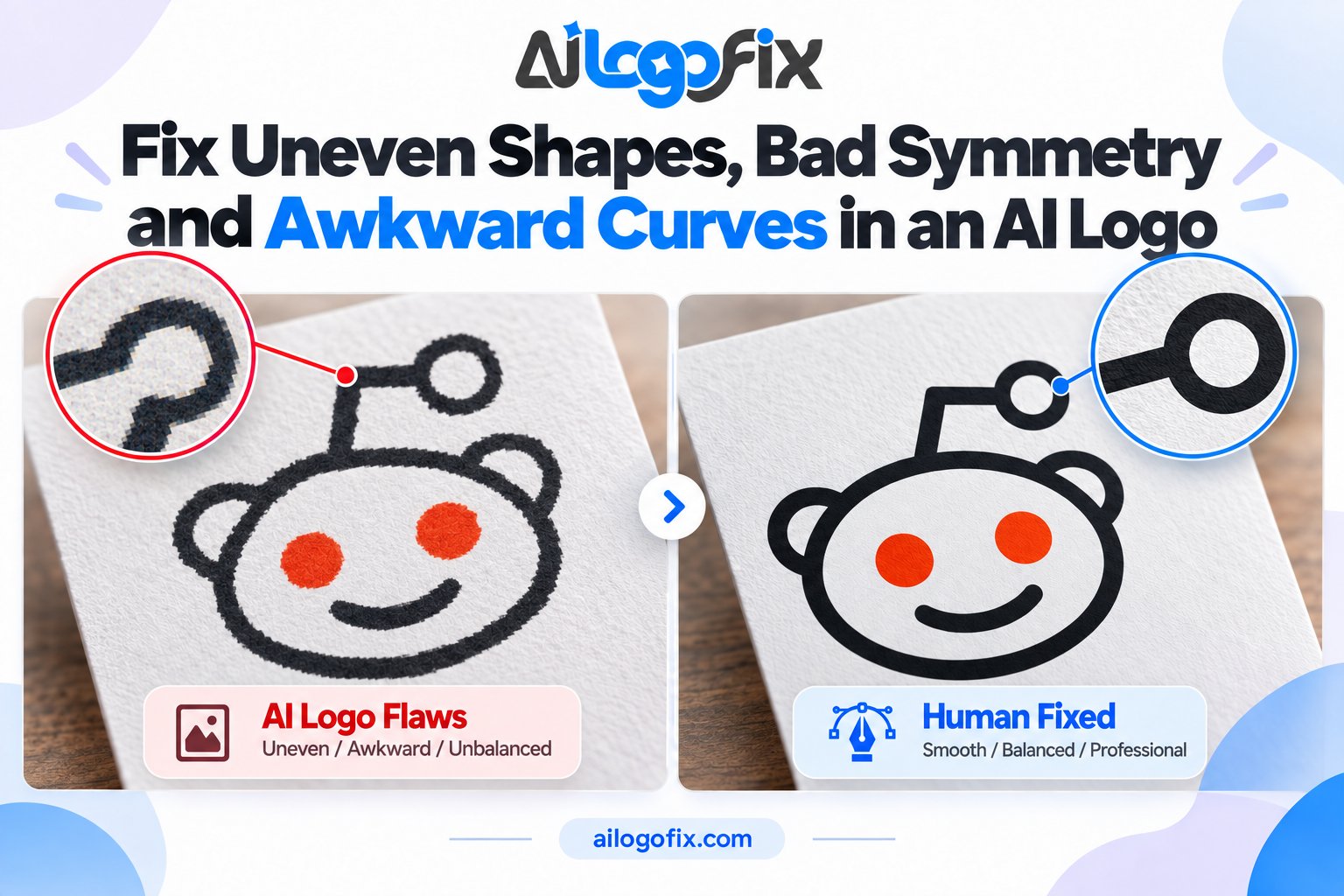
Your AI-generated logo looks great at a glance. Then you look closer: the circle is not quite a circle. The left side of the badge does not mirror the right. A curve that should flow smoothly has a strange kink in it.
In This Guide
- Why AI Can’t Draw Straight (or Round)
- The 5 Geometry Flaws to Look For
- How Designers Fix AI Logo Symmetry (Step by Step)
- Why Auto-Trace Can’t Fix Geometry
- DIY Checks You Can Do Right Now
- FAQs
- Fix AI Logo Shapes: Frequently Asked Questions
- 5 Fix AI Logo Shapes Mistakes to Avoid
- Pro Tips to Fix AI Logo Shapes Faster
- When to Hire a Professional to Fix AI Logo Shapes
- Fix AI Logo Shapes Glossary
These geometry flaws are the silent killers of AI logos. Customers cannot always name what is wrong, but they feel it — the logo looks “off,” amateur, untrustworthy. The fix is to fix AI logo symmetry and rebuild every shape with real geometric precision.
Quick answer: AI generators cannot draw true circles, perfect mirrors, or smooth intentional curves — they approximate. A designer fixes this by rebuilding each shape as proper vector geometry: true circles, mirrored halves, aligned centers, and hand-tuned bezier curves.
Why AI Can’t Draw Straight (or Round)
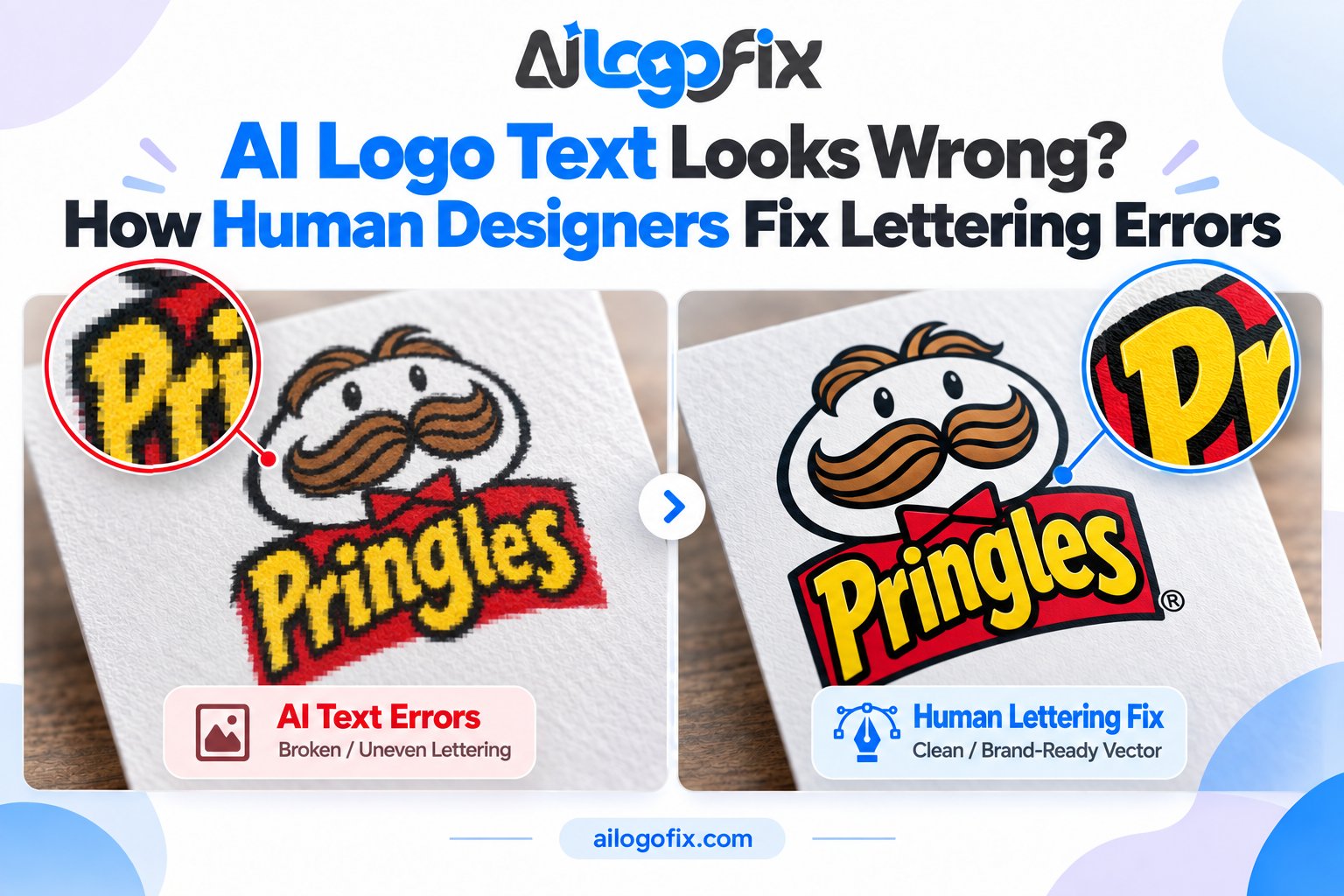
AI image generators predict pixels, not geometry. They have seen millions of circles, so they can paint something circle-like — but nothing in the process enforces “this must be a mathematically perfect circle.” The result is shapes that are almost right, which is worse than obviously wrong: close enough to look intentional, wrong enough to feel cheap.
The same goes for symmetry. True mirror symmetry requires deliberate construction — draw one half, reflect it exactly. AI paints both halves independently and hopes they match. They never quite do.
The 5 Geometry Flaws to Look For
| Flaw | How to spot it | Why it matters |
|---|---|---|
| Wobbly circles & ovals | Trace the edge with your eye — it bulges and flattens unevenly | Reads as sloppy at any size; fatal on badges and emblems |
| Broken symmetry | Flip the logo horizontally in your head — halves do not match | The human eye detects asymmetry instantly; it signals “unprofessional” |
| Kinked curves | Smooth-looking curves with sudden angle changes or flat spots | Breaks the flow of the design; visible in print and signage |
| Drifting alignment | Elements that should share a center or baseline sit slightly off | Creates a nagging sense of disorder across the whole mark |
| Lumpy outlines | Zoom in — edges ripple instead of flowing cleanly | Enlarges badly; embroidery and vinyl cutting choke on it |
Check your AI logo against all five. Most AI logos fail at least three.
How Designers Fix AI Logo Symmetry (Step by Step)
Step 1: Map the intended geometry
The designer studies your AI concept and identifies what each shape was meant to be: this is a circle, that is a mirrored pair, this curve should flow smoothly. The AI’s intention is preserved; its execution is discarded.
Step 2: Rebuild with true shapes
Using professional vector tools, each shape is redrawn properly: real circles and ellipses, rectangles with exact corners, polygons with equal sides. No approximation — mathematical precision.
Step 3: Enforce symmetry
Symmetrical elements are built once and mirrored exactly — not drawn twice. Badges, emblems, wings, shields: one perfect half becomes two perfect halves. Centers are aligned to the pixel across the whole composition.
Step 4: Tune every curve by hand
This is the craft. Bezier curves are adjusted anchor by anchor until each one flows smoothly — no kinks, no flat spots, no ripples. A designer can spend an hour on a single curve in a wordmark, because that curve is the logo.
Step 5: Verify at every size
The rebuilt geometry is checked tiny (favicon), medium (business card), and huge (signage). True geometry holds up everywhere — which is the whole point. For more on why this manual work beats automation, see manual vector tracing vs auto trace.
Why Auto-Trace Can’t Fix Geometry
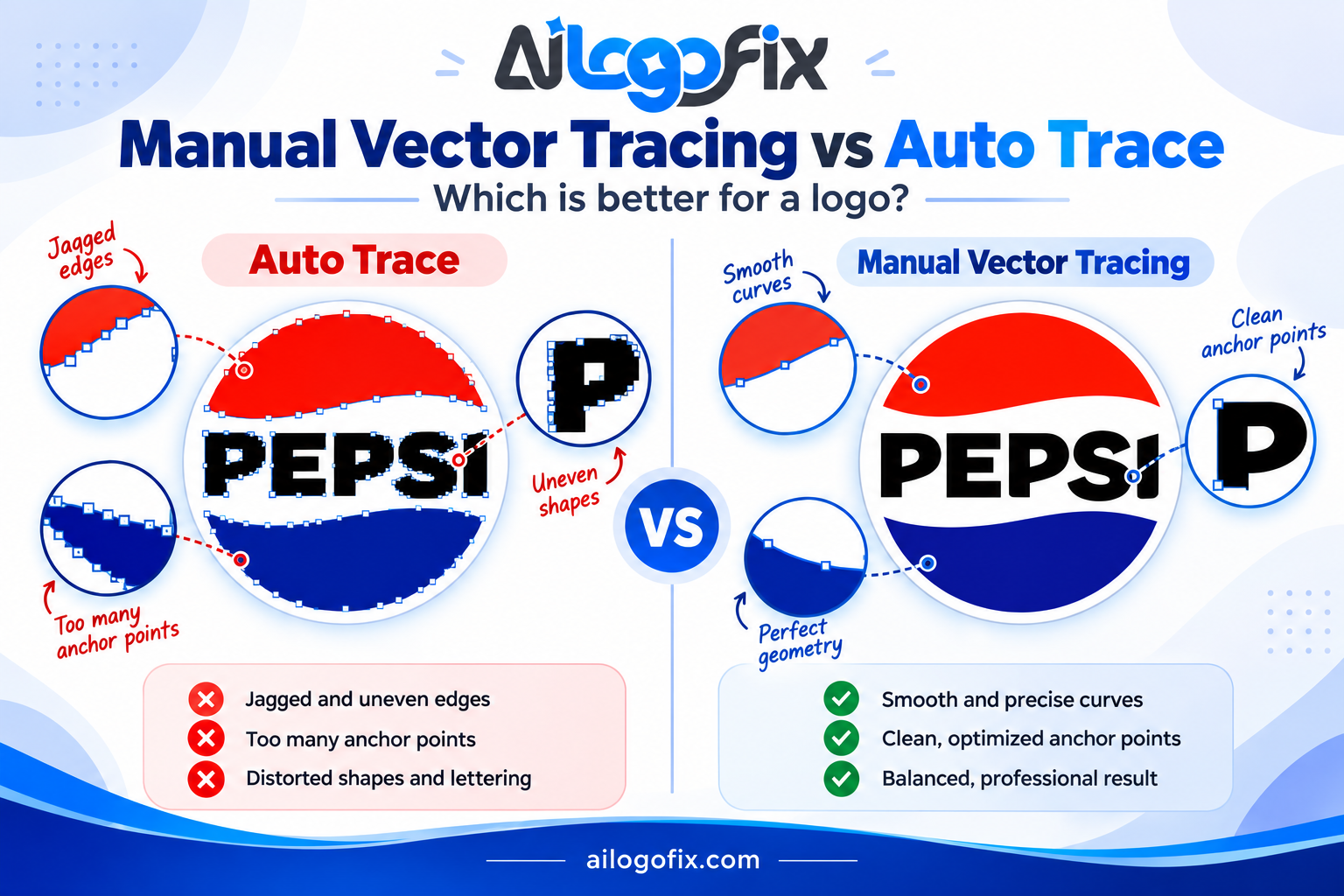
It is tempting to run a wobbly AI logo through an auto-tracer and hope the vector version comes out clean. It will not. Auto-trace follows the pixels it is given — wobbles included — and converts them into hundreds of tiny jagged path segments. You get a vector file with all the original flaws, now harder to edit.
Worse, auto-traced “symmetry” is never actually symmetrical: the tracer traces each half independently, preserving every mismatch. Only a human rebuild enforces true mirror geometry.
DIY Checks You Can Do Right Now
The flip test: Mirror your logo image horizontally (any photo app can do this). Asymmetries you had gone blind to will jump out immediately.
The circle test: Overlay a true circle (draw one in any app) on your logo’s round elements. Gaps between your shape and the true circle reveal the wobble.
The zoom test: Enlarge to 400%. Smooth curves stay smooth; AI curves reveal kinks and ripples.
These tests diagnose the problem — they do not fix it. Fixing requires rebuilding the geometry, which is designer work. Our AI logo fix guide covers geometry repair alongside the other common AI flaws.
We Will Rebuild Your AI Logo With Perfect Geometry
Send us your AI-generated logo — our designers will correct the symmetry, smooth every curve, align every element, and rebuild it as precise vector artwork that looks professional at any size.
FAQs
Can you fix the symmetry without changing my design?
Yes — that is the standard approach. The concept, style, and composition stay exactly as you like them; only the geometric execution becomes precise.
Why does asymmetry matter if most people can’t name it?
Because the human visual system detects asymmetry pre-consciously — people feel something is “off” before they can articulate it. That feeling attaches to your brand.
Will fixing the geometry change the file I get?
You will receive true vector artwork (AI, EPS, SVG, PDF) with clean, editable paths — a professional file package instead of a flat AI image. See what a vector file is for details.
My AI logo looks fine — does it still need geometry fixing?
Run the three DIY tests above. Most owners are surprised. If your logo passes all three, it may only need file conversion — but “looks fine at thumbnail size” is not a pass.
Can AI tools fix AI geometry automatically?
No current tool enforces true geometric precision on an existing AI image. “Enhancers” smooth pixels; they do not construct circles, mirrors, or clean bezier curves. That remains human craft.
Is geometry fixing included in a full AI logo fix?
Yes. Our AI logo fix service covers geometry correction together with text repair, artifact removal, and vector rebuilding.
The bottom line: Precision is what separates a generated image from a designed logo. Circles should be circular, mirrors should mirror, curves should flow. Rebuild the geometry by hand, and the concept you loved finally looks as good as it deserves.
Fix AI Logo Shapes: Frequently Asked Questions
Straight answers on how to fix AI logo shapes that came out lopsided, wobbly, or just wrong. Each answer includes the exact technique professionals use.
Why do AI logos have bad shapes in the first place?
AI image generators predict pixels, not geometry. They have no real understanding of symmetry, alignment, or clean curves, so they produce shapes that look okay at a glance but fall apart on inspection. That is why you need to fix AI logo shapes manually: the AI guesses at circles, mirrors, and spacing instead of constructing them. Common defects include uneven stroke weights, almost-but-not-quite mirrored halves, wobbly outlines, and curves that kink instead of flowing. No prompt engineering fully prevents this; cleanup is part of the workflow.
What is the first step to fix AI logo shapes?
Place the AI artwork on a locked reference layer and draw clean construction guides over it: center lines, circles, grids, and mirror axes. To fix AI logo shapes properly, you first need to see exactly where the AI went wrong. Toggle the guides on and off to compare. Mark every asymmetry, kink, and uneven gap before redrawing anything. This diagnostic pass takes twenty minutes and saves hours of aimless nudging later.
Should I fix AI logo shapes or just redesign the logo?
Fix them if the concept is strong and the flaws are technical (asymmetry, wobbles, spacing). When you fix AI logo shapes on a good concept, you keep the idea you loved while making it production-ready. Redesign only if the concept itself is weak, generic, or off-brief. A useful rule: if you can list the specific defects, fix them; if your complaint is vague dissatisfaction, the concept needs rethinking, not repair.
Which tools are best to fix AI logo shapes?
Adobe Illustrator is the industry standard, with Affinity Designer as a strong affordable alternative and Inkscape as a capable free option. To fix AI logo shapes you need true vector editing: pen tools, shape builders, pathfinders, and alignment panels. Avoid photo editors for this work; they edit pixels, and you need to rebuild geometry. Whatever tool you choose, learn its mirror, align, and curve-smoothing features deeply. They do most of the heavy lifting.
How do you fix asymmetrical AI logo shapes?
Delete the weaker half and mirror the stronger half. This is the fastest way to fix AI logo shapes with symmetry problems: draw one perfect half, then reflect it across the center axis. For radial designs, build one segment and rotate-copy it around the center. Never try to hand-tweak both halves into matching; human eyes cannot judge micro-symmetry reliably. Let the software’s mirror and rotate tools guarantee the precision.
Can auto-trace fix AI logo shapes automatically?
No. Auto-trace faithfully reproduces every flaw, including the wobbles and asymmetries you want to remove. It converts bad shapes into bad vectors. To fix AI logo shapes you must redraw them with intention, using the traced result only as a loose placement guide if at all. Manual rebuilding is the entire job; there is no shortcut that produces professional geometry.
How do I know when AI logo shapes are fixed enough?
The shapes are done when they survive three tests: the flip test (mirrored, nothing looks off), the scale test (clean at favicon size and at poster size), and the squint test (blurred vision still shows balanced, confident forms). If you fix AI logo shapes and they pass all three, ship it. Perfectionism beyond this point usually means redesigning, not repairing, and you should make that decision consciously rather than polishing forever.
5 Fix AI Logo Shapes Mistakes to Avoid
1. Nudging instead of rebuilding. Dragging the AI’s wobbly paths around never produces truly clean geometry. To fix AI logo shapes correctly, redraw the shapes fresh with proper tools: circles from the ellipse tool, straight lines with the pen, curves with minimal anchor points. Fix: treat the AI art as a sketch to trace over, never as geometry to salvage.
2. Eyeballing symmetry. Your eyes lie about small asymmetries, especially after staring at a design for an hour. Every fix AI logo shapes attempt needs construction guides and mirror tools, not visual guessing. Fix: build with reflect and rotate features, then verify by flipping the artwork horizontally to catch what your eyes adapted to.
3. Ignoring stroke consistency. AI strokes vary in weight randomly along a single path. If you fix AI logo shapes but leave the erratic strokes, the logo still looks amateur. Fix: convert strokes to outlines, then rebuild them at 2 to 3 deliberate, consistent weights across the whole mark.
4. Over-smoothing into mush. Aggressive smoothing removes the wobbles but also the character, leaving blobby, lifeless shapes. When you fix AI logo shapes, preserve the design’s intentional corners and tension points. Fix: smooth selectively, protecting sharp corners and deliberate angles with corner anchors. Understanding how Bézier curves work helps you control exactly where smoothing applies.
5. Forgetting optical correction. Mathematically perfect shapes can look wrong: circles need slight overshoot to look aligned with squares, and centered text often needs nudging to look centered. A complete fix AI logo shapes pass includes these optical adjustments. Fix: trust your eyes at the end, after trusting the math during construction. Print it, pin it up, and look from a distance.
Pro Tips to Fix AI Logo Shapes Faster
Work at 400 percent zoom for detail but check at 100 percent constantly. To fix AI logo shapes well, you need both microscopic precision and normal-view judgment. Shapes that look perfect zoomed in can look stiff at real size.
Build a shape library as you go. The corrected circle, the perfect corner radius, the balanced curve: save them as symbols or grouped assets. The next time you fix AI logo shapes, you will reuse proven geometry instead of rebuilding from scratch.
Use the flip test relentlessly. Mirror your artwork horizontally every few minutes. Fresh orientation exposes asymmetries and awkward curves your eyes stopped noticing. This single habit improves every fix AI logo shapes session more than any tool upgrade.
Separate construction from styling. First get every shape geometrically perfect in flat black. Only then apply colors, gradients, and effects. Trying to fix AI logo shapes while judging color at the same time splits your attention and hides structural flaws. Vector graphics fundamentals reward this disciplined, layered approach.
Document your fixes with before-and-after snapshots. Saving a quick comparison each time you fix AI logo shapes builds a personal reference library of solved problems. Months later, when a similar wobble appears, you will have the exact technique on file instead of reinventing it.
When to Hire a Professional to Fix AI Logo Shapes
Hire out when the logo will be printed, displayed large, or represent your business to customers. Shape flaws that seem minor on screen become glaring on signage and packaging. A professional fix AI logo shapes service delivers geometrically perfect artwork the first time, with clean files any printer accepts.
Also hire when the AI concept has many interlocking parts or custom lettering. Complex geometry multiplies the repair work, and lettering errors need a typographer’s eye. What takes a pro days can take a beginner weeks of frustrating trial and error.
The right service does not just trace your AI art: it rebuilds every shape with proper symmetry, consistent strokes, and optical corrections, then delivers organized vector files. That is the difference between a quick trace and a true fix AI logo shapes job.
Want your AI logo’s shapes professionally corrected? Our logo modify service rebuilds AI artwork with perfect symmetry and clean geometry. Message our team for a free flaw assessment.
Fix AI Logo Shapes Glossary
Symmetry: Mirrored balance around an axis. The most common casualty in AI art and the top priority when you fix AI logo shapes.
Anchor point: A control point on a vector path. Clean shapes use few, well-placed points.
Stroke weight: The thickness of a vector outline. AI strokes vary randomly; pros standardize them.
Construction guides: Grids, circles, and center lines used to build precise geometry.
Optical correction: Deliberate deviations from mathematical perfection so shapes look right to human eyes.
Corner anchor: A sharp point where a path changes direction abruptly, protecting intentional corners during smoothing.
Reflect tool: Software feature that mirrors artwork across an axis for guaranteed symmetry.
Simplify: The unite operation that merges overlapping shapes into one clean path, essential when you fix AI logo shapes built from fragments.
Compound path: A path with holes (like the letter O), built correctly so counters knock out cleanly at any size.
Geometry is a craft of patience. The designers who fix AI logo shapes best are the ones who build slowly, check constantly, and never trust their first draft. Keep this glossary nearby during every single repair session you take on.