
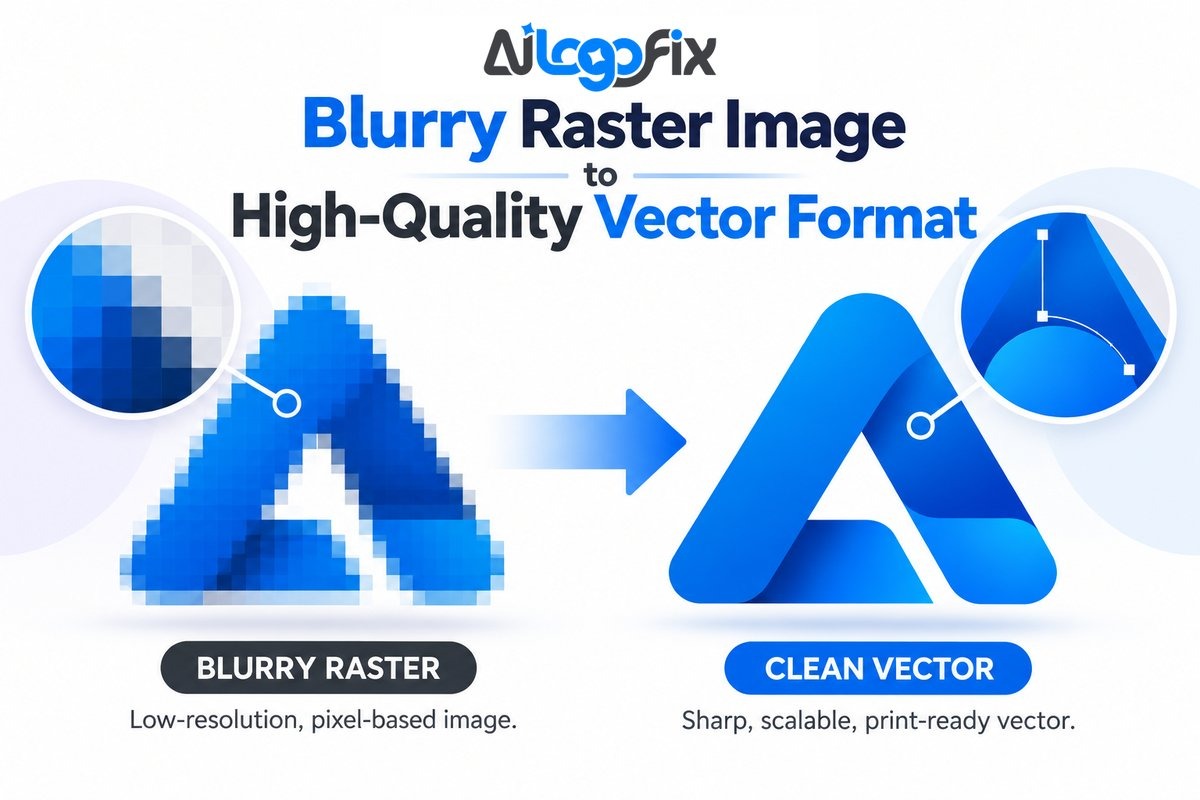
Blurry raster logo to vector conversion is the right solution when the only logo file you have is a small, pixelated JPG, PNG, screenshot, or low-resolution image. Instead of simply enlarging the blurry file, the logo is professionally rebuilt as clean vector paths so it can stay sharp for printing, signage, packaging, apparel, websites, and other brand uses.
When you need blurry logo to vector conversion, getting it right matters for print quality.
In This Guide
- Why Does a Raster Logo Become Blurry?
- Blurry Raster Logo to Vector: What Actually Changes?
- Upscaling Is Not the Same as Vectorizing a Logo
- Changing JPG to SVG Does Not Automatically Make It Vector
- When Do You Need a High-Quality Vector Logo?
- What Causes a Logo File to Become Low Quality?
- How We Convert a Blurry Raster Logo to Vector
- Which File Formats Should You Keep?
- Manual Vector Redraw vs Automatic Tracing
- What Can Be Recreated From a Blurry Logo?
- What Should You Send for the Best Result?
- How to Tell Whether a File Is Really Vector
- Benefits of Keeping a Vector Master Logo
- Can AI Upscaling Replace Raster to Vector Conversion?
- Blurry Raster Logo to Vector: Is It Better Than Redesigning?
- Why Use AiLogoFix for Raster to Vector Conversion?
- Frequently Asked Questions
- Turn Your Blurry Logo Into a Clean Professional Vector
If your logo looks acceptable on a phone but becomes fuzzy when you enlarge it, the problem is usually not the logo design itself. The problem is the file format and the amount of image information available. At AiLogoFix, our Raster to Vector Service manually redraws raster logos and artwork into scalable vector files rather than relying on a one-click auto-trace as the final result.
Why Does a Raster Logo Become Blurry?
Raster images are built from pixels — JPG and PNG are common examples. A logo created at a small size contains only a limited number of pixels, so enlarging it far beyond its original dimensions stretches those pixels: the result looks soft, blocky, jagged, or pixelated. That is why a logo can look fine in an email signature but fail on a storefront sign, trade-show banner, vehicle graphic, T-shirt, or packaging box.
A true vector file works differently: it is built from mathematical paths, curves, anchor points, and shapes, so it renders at any size without a fixed pixel grid — ideal for master logo files. The W3C describes SVG as a format for scalable two-dimensional vector graphics, as explained in the W3C SVG specification.
Blurry Raster Logo to Vector: What Actually Changes?
A professional blurry raster logo to vector conversion is not just an export operation. The important change is that the visible logo is reconstructed as editable vector geometry.
For example, a blurry JPG of a circle, a custom letter, and a simple icon may show hundreds of partially colored pixels along the edges. A designer does not reproduce every damaged pixel — the shapes are rebuilt with clean, intentional geometry — preserving the original design while removing damage from low resolution, compression, screenshots, repeated resizing, or poor export settings.
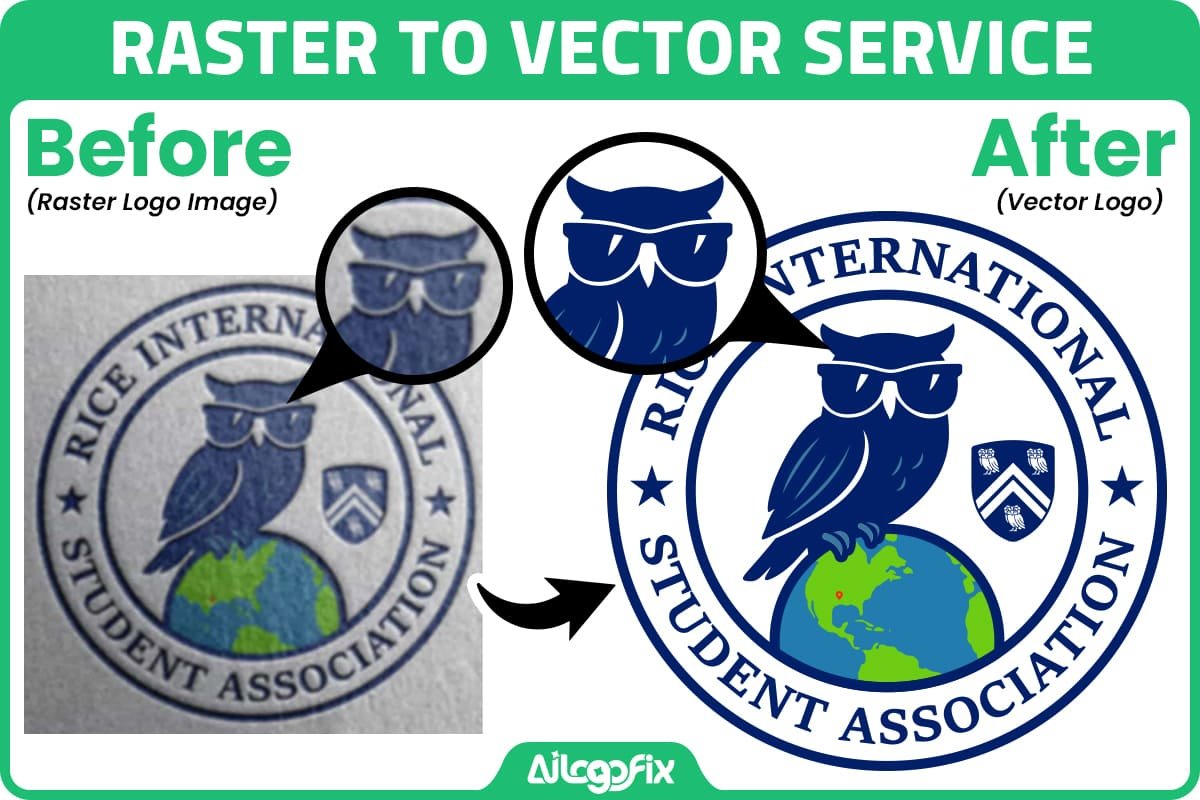
This AiLogoFix before-and-after example shows the goal: the concept stays recognizable, but the final artwork is clean, editable, and suitable for professional output.
Upscaling Is Not the Same as Vectorizing a Logo
One of the most common misunderstandings is that increasing the resolution of an image automatically creates a vector logo. It does not.
Upscaling can make a raster file larger — modern software may even estimate missing detail for a smoother result — but the result is still a raster image made of pixels.
Vectorization is different: the logo is reconstructed as editable paths and shapes you can select, reshape, and recolor in professional design software.
Example: Enlarging a 300-Pixel Logo
Suppose a 300-pixel-wide PNG logo must print on a 10-foot banner: enlarging it stretches the limited pixels, so the result looks soft or blocky. A professionally rebuilt vector master lets the printer generate the logo at the required physical size with clean edges.
Changing JPG to SVG Does Not Automatically Make It Vector
Another common mistake is changing the file extension — or placing a raster image inside a vector-capable container — and assuming the result is now vector. But if the artwork inside is still a bitmap, the file is not a true vector logo.
A genuine logo vectorization project rebuilds the visible artwork as paths, curves, text outlines, and shapes.
When Do You Need a High-Quality Vector Logo?
A vector logo is useful whenever your brand must work beyond one fixed digital size — even a single project benefits from a master file that prevents rework.
Large-Format Printing and Signage
Signs, banners, billboards, trade-show walls, vehicle graphics, and window graphics enlarge the artwork far beyond screen size — exactly where pixelation shows first.
Business Cards and Printed Stationery
Printing is precise even at small sizes: blurry letters, rough edges, and compression artifacts are easy to spot on business cards and stationery.
Packaging and Product Labels
Packaging combines logos with fine text, small icons, and exact brand colors — all of which stay sharp and accurate as vector artwork.
T-Shirts, DTF, Screen Printing, and Merchandise
Apparel production needs clean edges and separable colors; a blurry raster file can be difficult — or impossible — for a print shop to use.
Embroidery Preparation
Embroidery does not use vector artwork as the final machine file, but a clean vector gives the digitizer an accurate starting point.
Websites, Apps, and High-Density Screens
SVG logos scale cleanly across screen sizes and stay crisp on high-density (retina) displays.
What Causes a Logo File to Become Low Quality?
Many businesses never chose a low-quality logo file — the problem usually happens over time as files are copied, shared, and re-saved:
- The original designer is no longer available.
- The original AI, EPS, or SVG file was lost.
- The business only saved the logo from its old website.
- A social media profile image became the only remaining copy.
- The logo was repeatedly sent through messaging apps that compressed it.
- A screenshot was used instead of the original file.
- The logo was copied from a PDF at low resolution.
- An AI logo generator exported only a small JPG or PNG.
- The original artwork was created in a raster editor at a small size.
If this happened to your business, you do not necessarily need a new logo — in many cases the design can be reconstructed as clean vector artwork.
If your original source files are missing, you may also find our guide I Lost My Original Logo Files — How Can I Recreate My Logo? helpful.
How We Convert a Blurry Raster Logo to Vector
The exact workflow depends on the design, but a professional blurry raster logo to vector project usually follows these steps.
1. Inspect the Best Available Source
We begin with the clearest file you can provide — a JPG, PNG, screenshot, scan, PDF, or photo of printed material; a larger, less-compressed file gives the most reliable reference.
2. Identify the Intended Design
Low-resolution files create false details — a curved edge may look jagged, a perfect circle lumpy — so the designer must separate the original design from raster damage.
3. Manually Redraw the Logo
At AiLogoFix, the Raster to Vector service is based on manual redrawing: the designer rebuilds the logo as clean vector paths, with the smooth curves, balanced shapes, and consistent spacing that auto-tracing rarely achieves.
4. Recreate Typography
If the logo contains text, the lettering gets special attention: identified fonts are matched, and unidentified letters are carefully redrawn to match the reference.
5. Match Colors and Proportions
We compare the new vector version against the reference, rebuilding proportions and colors as close to the original as the source allows.
6. Clean the Vector Paths
Professional vectorization means clean paths: unnecessary anchor points removed, curves smoothed. Adobe Illustrator’s Image Trace can convert raster artwork into editable vector paths, but logos usually need manual refinement (see Adobe’s Image Trace documentation).
7. Review at Multiple Sizes
The logo is checked both small and large, revealing awkward curves, inconsistent line weights, or spacing problems before delivery.
8. Prepare the Final Logo Files
Once approved, the vector artwork is prepared in professional formats for print, web, and vendor use.

Which File Formats Should You Keep?
A good logo package includes more than one file, because different platforms and workflows ask for different formats. For print and professional use, keep true vector masters; for everyday and web use, keep high-quality raster exports:
- AI — editable Illustrator master file for future edits.
- EPS — widely requested by print shops and sign companies.
- SVG — scalable format for websites, apps, and digital use.
- PDF — convenient for sharing and printing, when it contains true vector artwork.
- PNG — everyday digital use with transparency.
- JPG — small files for web and screen use when transparency is not needed.
Manual Vector Redraw vs Automatic Tracing
Automatic tracing can be useful, but it is not always the best final solution.
Auto-trace software creates vector shapes from pixel boundaries — so if the original raster is blurry, it traces the blur and compression damage too.
Common auto-trace problems include:
- Too many anchor points.
- Lumpy curves.
- Uneven circles.
- Jagged corners.
- Broken letters.
- Small gaps becoming filled.
- Compression artifacts becoming vector shapes.
- Inconsistent line thickness.
A manual redraw gives the designer control: instead of asking software to guess from damaged pixels, the shapes are rebuilt as they were meant to look.

What Can Be Recreated From a Blurry Logo?
Many logos can be reconstructed even from a poor source, though the uncertainty depends on the design.
Simple Shapes and Icons
Geometric shapes, monograms, badges, icons, and simple symbols are excellent candidates for vectorization, even from low-resolution sources.
Typography
Clear logo text can usually be matched or redrawn. If the source is extremely blurry, the exact business name and any font clues help enormously.
Detailed Illustrations
Detailed artwork can also be vectorized, but it takes more manual work, and photographic textures or realistic shading may need simplification.
Gradients and Effects
Many gradients and effects can be recreated in vector artwork, but complex photo-like effects may need simplification for clean production.
What Should You Send for the Best Result?
If you need a blurry raster logo to vector conversion, send the best source you have. Do not worry if it is not perfect.
- The largest original JPG or PNG available.
- Any older PDF, brochure, business card, packaging, or printed reference.
- Alternative versions of the logo if available.
- The exact business name and tagline.
- Known brand colors or color codes.
- Any font information you still have.
- A note explaining which details must remain unchanged.
- The intended use, such as print, signage, embroidery, DTF, packaging, or web.
Several imperfect references can beat one tiny image, since each may reveal a detail the others lost.
How to Tell Whether a File Is Really Vector
File extensions can be misleading: the safest check is to open the artwork in vector-editing software such as Adobe Illustrator, where a genuine vector logo shows selectable paths, shapes, text objects, or outlined letters.
If you open an SVG, EPS, AI, or PDF and find the entire logo is one placed bitmap image, it is not a true vector file — regardless of the extension.
Benefits of Keeping a Vector Master Logo
A clean vector master gives your business lasting flexibility after the conversion is finished.
- Scale: Use the same master artwork for a small label or large sign.
- Editability: Change colors, spacing, text, and individual logo elements.
- Consistency: Export new versions from one reliable source.
- Production: Give printers and vendors the file formats they request.
- Future proofing: Avoid rebuilding the logo every time a new use appears.
- Brand control: Keep an official master instead of collecting random screenshots and compressed copies.
Can AI Upscaling Replace Raster to Vector Conversion?
AI enhancement can make low-resolution images look smoother and sharper, but the result is still not editable vector artwork — if your printer or sign company needs vector paths, an enhanced raster still falls short.
For logos, AI enhancement can help reveal a reference, but professional vector reconstruction remains the reliable route to a true master file.
Blurry Raster Logo to Vector: Is It Better Than Redesigning?
If you still like your current logo, vectorization is usually better than a redesign: the goal is to preserve the brand you have, not invent a new one.
A full redesign makes more sense if the concept itself is outdated, confusing, too detailed, or no longer represents the business.
You can also read our earlier guide, Blurry Logo? Raster to Vector Conversion Is the Fix You’ve Been Looking For, for a shorter explanation of the same core problem.
Why Use AiLogoFix for Raster to Vector Conversion?
AiLogoFix focuses on logo repair, recreation, and vectorization. Our Raster to Vector service manually redraws your artwork instead of relying on auto-trace alone.
The service is designed for customers who may only have a JPG, PNG, screenshot, old logo file, or other imperfect reference.
If you have a blurry logo ready, visit our Raster to Vector Service to view current package options and real examples.
If you are not sure whether your file needs vectorization, you can also message the AiLogoFix team and send the file for review.
Frequently Asked Questions
Can you convert a very blurry logo into vector?
Often, yes — it depends on how much of the original design can still be identified. Simple shapes, clear lettering, and recognizable layouts can usually be reconstructed; lost details are filled in with careful judgment, confirmed with you.
Can I convert JPG to vector?
Yes. A JPG works as the source reference — the artwork is rebuilt as editable vector paths rather than simply enlarged or auto-traced.
Can I convert PNG to SVG?
Yes, but a genuine conversion means recreating or tracing the artwork into vector geometry. Simply placing a PNG inside an SVG file does not make it a true vector logo.
Will vectorizing my logo change the design?
The goal is to preserve the original design. Small technical corrections — like smoothing a curve damaged by compression — may be made; anything beyond that is confirmed with you first.
Why does my logo look blurry when printed?
The file may be too small for the requested print size, overly compressed, or raster-based: large print sizes need far more image data than a small web file contains.
Is PDF always a vector file?
No. PDF can contain vector artwork, raster images, or both. A blurry JPG saved inside a PDF is still a raster image — the container does not change the artwork.
Is SVG always better than PNG?
Not for every situation. SVG is excellent for scalable logos and many web uses, while PNG suits fixed-size graphics and photos.
Can you vectorize an AI-generated logo?
Yes, many AI-generated logos can be recreated as vector artwork. AI images may contain distorted letters or odd details, corrected during the manual redraw. See our AI Generated Logo Fix Service for details.
Can a vector logo be exported back to PNG or JPG?
Yes — that is one advantage of a vector master: you can export fresh PNG or JPG files at any size, without the quality loss of enlarging an old raster file.
What is the best master format for a logo?
No single format covers every workflow: AI works as an editable Illustrator master, EPS is widely requested by print vendors, SVG suits web use, and PDF is convenient for sharing — so a complete package includes several formats.
Turn Your Blurry Logo Into a Clean Professional Vector
A blurry logo does not always need to be redesigned. If the concept is still right, a professional blurry raster logo to vector conversion can restore the artwork and give your business a clean master file for future use.
Instead of depending on a tiny JPG, screenshot, or pixelated PNG, keep an editable vector version that works everywhere your brand appears.
Convert My Blurry Logo to Vector
Have questions first? Send your logo to the AiLogoFix team and tell us where you plan to use it.
Blurry Logo to Vector FAQs
Quick answers about blurry logo to vector conversion.
Can a blurry logo to vector conversion really fix pixelation?
Yes. A professional blurry logo to vector conversion redraws your logo as clean mathematical paths, eliminating pixelation entirely. Unlike upscaling (which just makes blurry pixels bigger), true blurry logo to vector work recreates every curve and corner sharply. The result scales from business card to billboard without any quality loss.
How long does blurry logo to vector conversion take?
Most blurry logo to vector projects complete in 24-48 hours. Simple logos are faster; complex illustrations with gradients take longer. Rush delivery is available when you need the blurry logo to vector result urgently for a print deadline.
What do I need to provide for blurry logo to vector service?
Just your blurry logo file — any format works as a starting point for blurry logo to vector conversion. Higher resolution originals help, but even a small web image can be rebuilt. If you have brand color codes or font names, include them so the blurry logo to vector result matches your brand exactly.
Is auto-trace enough for blurry logo to vector?
No. Auto-trace on a blurry source produces wobbly, inaccurate paths. Professional blurry logo to vector conversion means manual redrawing by a designer who understands letterforms and geometry. The difference is visible instantly — manual blurry logo to vector work has crisp, confident curves.
What files do I get after blurry logo to vector conversion?
A complete blurry logo to vector package includes AI, EPS, SVG, and PDF vector formats plus high-resolution PNG and JPG exports. Every blurry logo to vector delivery from AiLogoFix is print-ready and web-ready.
Ready to fix your logo? Get blurry logo to vector conversion or message our team.
Blurry Logo to Vector: Key Points
- Blurry logo to vector conversion fixes pixelation permanently.
- Every blurry logo to vector project starts from your existing file.
- Professional blurry logo to vector work is manually redrawn, not auto-traced.
- Blurry logo to vector delivery includes AI, EPS, SVG, and PDF.
- Blurry logo to vector results scale infinitely without quality loss.
- Most blurry logo to vector orders complete within 48 hours.
- Blurry logo to vector pricing depends on complexity, not file size.
- After blurry logo to vector conversion, keep your vector masters backed up.
- Blurry logo to vector is the foundation for all professional branding.
- Order blurry logo to vector before your next print deadline.
- A single blurry logo to vector conversion serves every future need.
Final word: Do not let a blurry logo represent your brand for another day. Professional blurry logo to vector conversion is affordable, fast, and permanent. Every day you wait is another day of pixelated first impressions. Get your blurry logo to vector conversion done right — message us today.