
Need to recreate logo files quickly?
In This Guide
- Step 1: Hunt Down Any Surviving Copy First
- Step 2: Have a JPG, PNG, or Screenshot? Get It Vectorized
- Step 3: Only Have a Sketch — or Just a Memory? Start Fresh
- Step 4: Need Just the Outline or Line Art?
- Step 5: Turn This Disaster Into an Upgrade
- What You’ll Get Back (and How to Never Lose It Again)
- Let’s Bring Your Logo Back
- Quick FAQ
- Lost Logo Files FAQs
- 6 Mistakes People Make After Losing Logo Files
- Pro Tips for Logo File Safety
- When to Hire a Designer to Recreate Your Logo
- Your 7-Day Logo Recovery Action Plan
- Logo File Glossary
- What Your Printer Needs From a Recovered Logo
I Lost My Original Logo Files — How Can I Recreate My Logo?
That sinking feeling: you need your logo for new packaging, a shop sign, or merchandise — and the original files are nowhere to be found. Your old designer disappeared, the laptop died, or the files are buried in an email account you can’t access anymore.
Take a breath. This happens to businesses all the time, and it’s almost always fixable. Here’s the exact playbook to recreate logo files and get your logo back.
Step 1: Hunt Down Any Surviving Copy First
Before spending a cent, do a proper search. A usable copy of your logo might be hiding in:
- Old emails (search for attachments from your designer)
- Cloud drives — Google Drive, Dropbox, iCloud
- Your social media pages (your profile picture is a copy of your logo — download it)
- Your website’s files or media library
- The Wayback Machine (archived versions of your old site)
- Your printer or sign maker — they may still have a vector file from a past job
Here’s the key insight: even a small JPG or a screenshot is enough. You don’t need the original — you just need something we can see.
Step 2: Have a JPG, PNG, or Screenshot? Get It Vectorized
Found any version of your logo, even a tiny or blurry one? Then you’re in great shape. To recreate logo files from a raster image, our raster to vector service takes that surviving image and has a designer manually redraw it as a clean, scalable vector.
You’ll get back professional master files — AI, EPS, SVG, PDF, plus transparent PNG — that work for printing, signage, embroidery, and everything else. It’s the closest thing to getting your original files back.
Step 3: Only Have a Sketch — or Just a Memory? Start Fresh
No image at all? No problem — our designers can still recreate logo files from your sketch or description. If you can sketch your logo on paper (even roughly), our sketch to vector service turns that hand drawing into a polished, professional vector logo.
And if you can’t even sketch it, describe it to us — colors, shapes, style, the feeling of it. Our designers can rebuild it from your description and old references like photos of your signage or packaging.
Step 4: Need Just the Outline or Line Art?
Sometimes you don’t need the full-color logo — you need a clean outline for engraving, vinyl cutting, stamps, embroidery digitizing, or single-color printing. Our image to outline service converts your logo into crisp line art, ready for production.

Step 5: Turn This Disaster Into an Upgrade
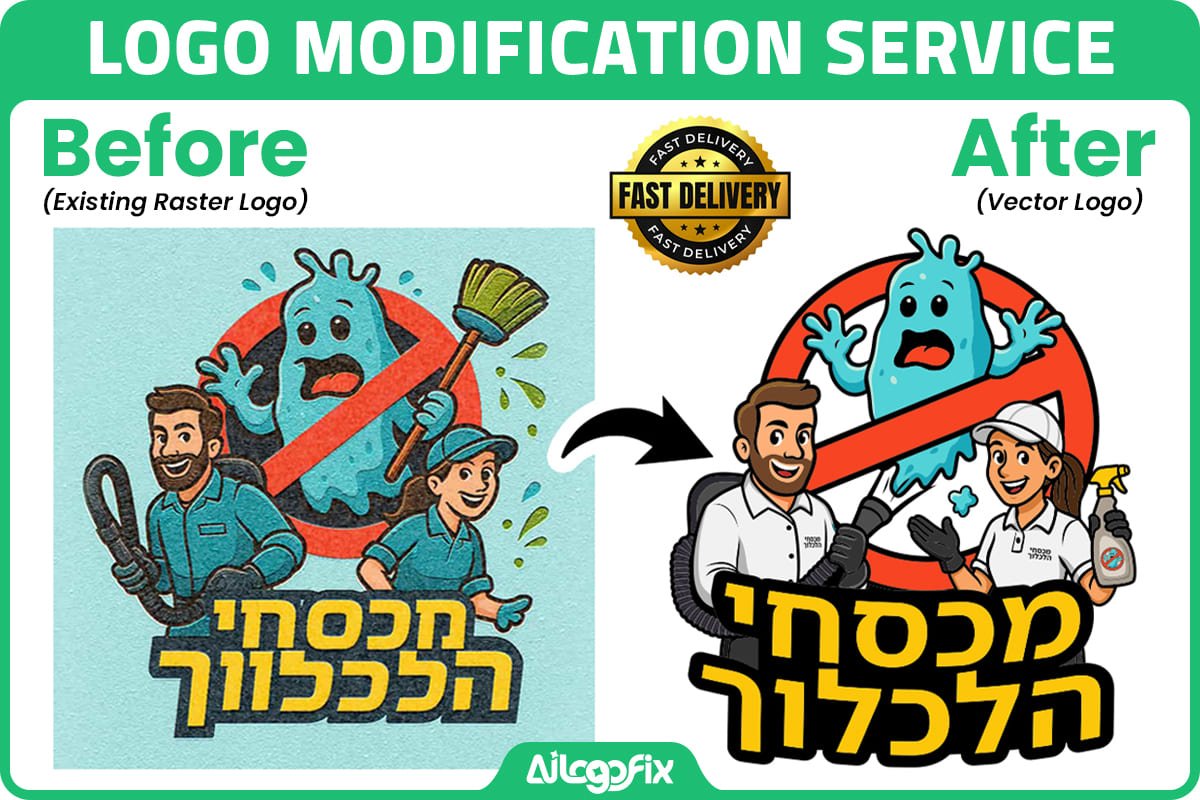
Here’s a thought: losing your files might be a blessing in disguise. If your logo was looking dated anyway, this is the perfect moment to recreate logo artwork with a modern touch. Our logo modify service recreates your logo and improves it at the same time — sharper, cleaner, more current — while keeping it recognizably yours.

What You’ll Get Back (and How to Never Lose It Again)
Whichever path you take to recreate logo files, you’ll end up with proper master files: AI, EPS, SVG, PDF, and PNG. This time, store them in at least three places — a cloud drive, an email to yourself, and a USB stick. Future you will be grateful.
Let’s Bring Your Logo Back
Ready to recreate logo files and get back to business? Don’t let lost files stall you. Send us whatever you’ve got — a JPG, a screenshot, a sketch, even just a description.
Message our team directly — we’ll look at what you have and tell you the fastest way to recreate your logo.
Quick FAQ
I only have my logo on my website. Can you work from that?
Yes. Download the image (or even take a screenshot) and send it over — that’s plenty to start from.
How long does logo recreation take?
Most projects are delivered within 24–48 hours, depending on complexity.
Will the recreated logo look exactly like my old one?
Yes. Manual redrawing reproduces your design faithfully when you recreate logo artwork with our designers, and unlimited revisions mean we adjust anything until it matches.
How do I avoid losing my files again?
Keep your master vector files in three places: cloud storage, an email to yourself, and an offline copy. And always ask for AI, EPS, SVG, and PDF — not just a JPG.
Lost Logo Files FAQs
Everything you need to know when you have lost logo files and need them back fast.
I have lost logo files completely. Can they be recreated from scratch?
Yes. When you have lost logo files with no surviving copy, a designer can rebuild the logo from a sketch, a written description, or even a rough memory of the design. The recreation will not be pixel-identical to the original, but it can be extremely close, and many clients use the event as a chance to improve the mark. If you have lost logo files entirely, gather any reference you can: old business cards, invoices, photos of signage, screenshots from social media, or email signatures. Every fragment helps the designer reconstruct your brand accurately.
What if I only have a blurry photo of my logo?
A blurry photo is enough to start. Designers who handle lost logo files cases work from poor references every day: they trace, sharpen, and rebuild the artwork as clean vector paths. The worse the reference, the more manual work is involved, but a professional result is almost always achievable. Send the highest-resolution version you can find, even if it looks terrible on screen. For lost logo files rebuilt from photos, expect the designer to ask about your brand colors and fonts so the recreation matches the original.
How much does it cost to recreate lost logo files?
Recreating lost logo files typically costs about the same as a standard vectorization or small logo project, because the work is similar: studying references and redrawing the artwork by hand. Simple text-based logos are cheapest; complex illustrated marks cost more. If you have lost logo files but own a decent raster copy, vectorization pricing applies. Get a quote before committing, and ask exactly which file formats you will receive so you never face lost logo files again.
How long does logo recreation take?
Most lost logo files recreations finish within 24 to 72 hours. A clean reference speeds things up; a vague memory slows it down because of back-and-forth revisions. If you have a print deadline, tell the designer upfront. Rush service is common for lost logo files emergencies, since printers will not wait. Build in one revision round so you can fine-tune details like letter spacing or color shades before final delivery.
What file formats should I demand so I never lose my logo again?
After recovering from lost logo files, insist on a complete package: AI and EPS for print, SVG for web, PDF as a universal vector, plus high-resolution PNG and JPG exports. Store them in at least two places, such as cloud storage and an external drive. The painful lesson of lost logo files is that a logo is a business asset; treat the files like you treat your accounts. Ask your designer for a handover checklist you can file with your brand guidelines.
Can lost logo files be recovered from a website or social media?
Sometimes. If your logo still appears on your website, Facebook page, or LinkedIn profile, those images can serve as references for rebuilding lost logo files. Right-click and save the largest version available, and check the Wayback Machine for older versions of your site that may show the logo bigger. These web copies are too low-resolution for print, but they are perfect starting points for a designer recreating lost logo files as proper vector artwork.
My designer disappeared with my logo files. What now?
This is one of the most common lost logo files stories we hear. First, check every email thread, shared drive, and chat history for attachments they may have sent. Then check whether your printer, sign maker, or web developer has a usable copy. If nothing surfaces, commission a recreation from your best surviving reference. To prevent repeat lost logo files disasters, always demand full source files on delivery and keep your own backups independent of any single designer or agency.
Is it legal to recreate a logo I lost?
If you own the logo, yes. Recreating lost logo files for your own brand is simply restoring your property. Keep any proof of ownership you have: invoices from the original designer, trademark certificates, or old marketing materials. A reputable designer will ask you to confirm you own the mark before rebuilding lost logo files, which protects both of you. If the logo was created by an agency under a contract, check the contract terms about file ownership before proceeding.
6 Mistakes People Make After Losing Logo Files
1. Panicking and accepting the first cheap offer. Desperation leads to poor hires. Even with lost logo files, take an hour to compare portfolios before choosing who rebuilds your brand.
2. Rebuilding from the worst reference available. Hunt thoroughly before settling. People with lost logo files often find a better copy on an old USB stick, in email attachments, or with their printer after a proper search.
3. Accepting only a JPG as the replacement. If you have lost logo files once, do not set yourself up to lose them again. Insist on vector source files this time.
4. Skipping the backup step. The recreation is only half the fix. Store your recovered lost logo files in two independent locations on day one.
5. Changing the design silently. If the recreation drifts from the original, customers notice. When lost logo files force a rebuild, keep changes deliberate and communicate them.
6. Forgetting about trademark records. If your logo is registered, lost logo files do not affect your rights, but keep the registration documents with your new file package.
Learn the basics of data backup strategies on Wikipedia so this never happens twice.
Pro Tips for Logo File Safety
Build a brand folder today. Create one folder containing every logo variant, font file, and color code. Share it with your team and your printer. Most lost logo files cases begin with files scattered across five laptops and a dead email account.
Version your files. Name files clearly: brand-logo-master-vector-2026.eps beats final-final-v2.eps. When lost logo files strike, clear naming is what lets you identify the right copy instantly.
Keep a printed brand sheet. A single printed page with your logo, colors, and fonts is a low-tech insurance policy. If digital lost logo files ever hit you, a scanner and this sheet get you most of the way back.
When to Hire a Designer to Recreate Your Logo
Hire a designer the moment you confirm your lost logo files cannot be recovered from any backup, colleague, or vendor. Professional recreation is faster and more faithful than DIY tracing, and the designer will deliver proper vector masters so the nightmare does not repeat. This matters most before a reprint, a rebrand launch, or new signage, where a flawed rebuild of lost logo files would be immortalized in expensive materials.
Our team rebuilds logos from any reference, no matter how rough: photos of shop signs, screenshots, even napkin sketches. Every project ends with a complete vector package and a backup checklist. Message our design team with whatever reference you have, and we will tell you honestly what is recoverable. If you have at least a raster image, our raster to vector service can also convert it into clean, scalable artwork.
Your 7-Day Logo Recovery Action Plan
When you discover lost logo files, work this plan instead of panicking.
Day 1: Search everywhere. Check email attachments, cloud drives, old laptops, USB sticks, and chat histories. Ask your designer, printer, web developer, and sign maker whether they hold copies. Most lost logo files turn up within 24 hours of a serious hunt.
Day 2: Capture references. Photograph every surviving appearance of the logo: signage, business cards, vehicle graphics, uniforms, packaging. Screenshot your website and social profiles at maximum size. These references become the blueprint for rebuilding lost logo files.
Day 3: Choose your path. Good raster copy? Order vectorization. Only fragments? Commission a full recreation. Facing lost logo files with zero references? Start a light rebrand and treat it as an upgrade.
Day 4-5: Approve the rebuild. Review the designer’s draft against your references. Check letterforms, spacing, colors, and proportions carefully. Small errors in rebuilt lost logo files become permanent once printed, so be picky now.
Day 6: Collect the full package. Demand AI, EPS, SVG, PDF, PNG, and JPG. Verify each file opens correctly. This is the step that prevents future lost logo files disasters.
Day 7: Back up twice. Copy the package to cloud storage and an external drive. Share the brand folder with at least one other person on your team. Future you will be grateful the lost logo files era ended here.
Logo File Glossary
Vector file: Resolution-independent artwork (AI, EPS, SVG) that scales infinitely; the file type you want after lost logo files recovery.
Raster file: Pixel-based image (JPG, PNG) that blurs when enlarged.
Source file: The original editable design file from which all exports are made.
Brand guidelines: A document defining logo usage, colors, and fonts.
Wayback Machine: An internet archive useful for finding old versions of websites showing your logo.
Cloud backup: Off-site file storage that survives local hardware failure.
What Your Printer Needs From a Recovered Logo
Rebuilt lost logo files must satisfy your printer, or the recovery was pointless. Printers need vector artwork, not the JPG you pulled from Facebook. A proper vector file lets them scale your logo to banner size, separate colors for screen printing, and cut vinyl without jagged edges.
Ask your printer which format they prefer before finalizing the rebuild. Most accept PDF or EPS; sign makers often want AI or SVG. When lost logo files are recreated professionally, the designer should ask about your print use cases and prepare the files accordingly. Confirm color mode too: full-color work needs CMYK builds, while single-color jobs need clean spot-color separations.
Finally, send a test file before the big run. One proof print catches problems that cost hundreds on a full order. Treat your recovered lost logo files as production assets from day one, and they will serve every printer, developer, and designer you ever hire.
Bottom line: Losing your logo files feels like a disaster, but recovery is straightforward with the right help. Search hard, rebuild professionally, collect vector masters, and back everything up twice. Your brand deserves better than a blurry screenshot.